1.1 The Event Data Pandora’s Box
How Event Data Became Central to My Work
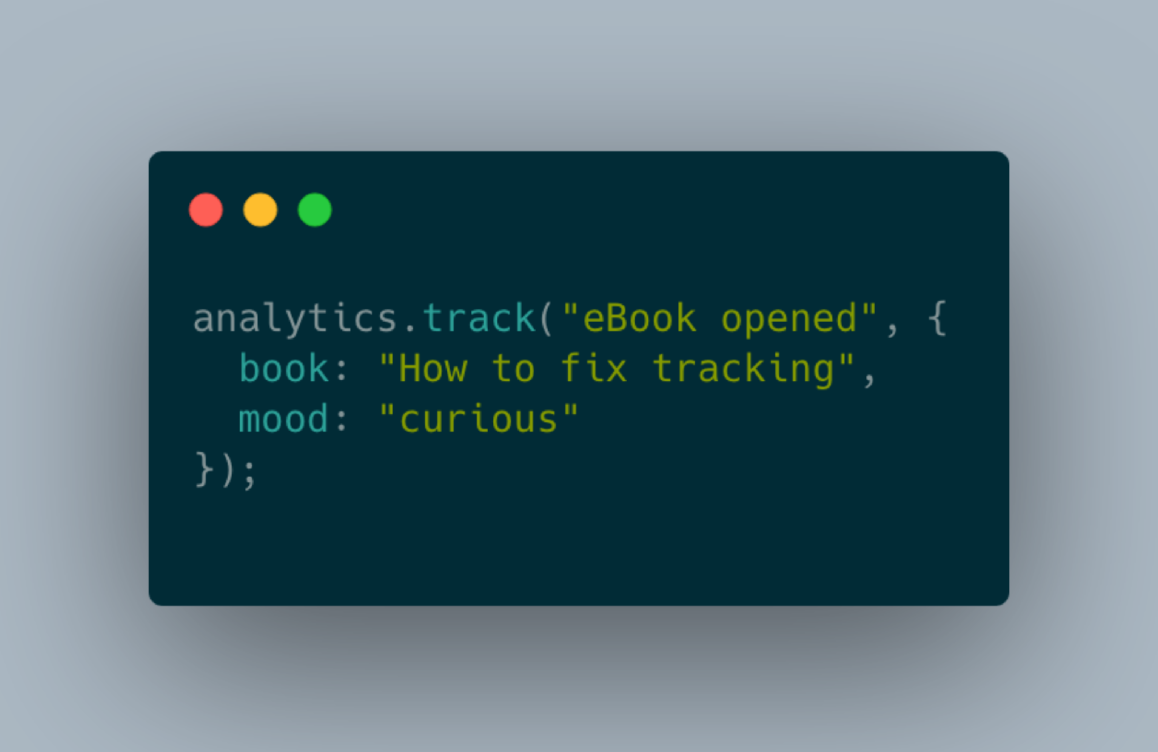
Why on earth is event data not a simple thing? We are talking about one line of code for collecting events. So, this is so easy — what can possibly go wrong?
Turns out a lot can go wrong. Sometimes event data seems to be like a Pandora’s box.
The Discovery
In 2021 I was doing data consulting for over seven years. And I basically grew with my clients’ ambitions. Starting out with tracking setups and ending up with what we sometimes call a modern data stack. But I had to make a decision. Supporting the full data stack didn’t allow me to go as deep as I prefer to support my clients. I can only scratch on 20 surfaces.
I needed to focus — but where or how: analytics engineering, data pipelines, dashboards (gosh no), anything more exotic — maybe streaming pipelines.
Of course, I made a list: what are the usual problems from all the projects I did over the years. And after adding 5 projects to the list, there was a pattern.
But Is Event Data Not Just a Small Problem?
Is event data design a big enough problem or niche? That was my major question.
So I first tested the waters by looking at how deep I could dive into it. Do I find a good solution and approach just after some days, or do I open up many new questions indicating deep waters?
To make it short: Just sitting down and revisiting how I approached event data in the past opened up so many questions that this is a niche worth investigating.
Promoting it afterward proved it from a market perspective. I said: “If you have a tracking issue, let’s talk” — and people reached out to me, and we talked.

How This Book Works
It works how I create courses. For me, your adoption rate is my success metric. I want you to test and implement the learnings from this book when you read about them.
That is the reason why this is designed as a workbook and not a classic read-through book.
But for most of the practice items, we need some foundations. There will be parts where I give you the context you need to understand the hands-on part deeply.
I will introduce my generic tracking framework that we will use as our map throughout the book. So you always have a reference of where we currently are and how it fits together with the previous parts.
Finally, in difference to other books, this is a living document. The main reason why I publish it myself is that I want to extend and improve it over time whenever I have developed new learning.
1.2 What Is Event Data
Events Are Part of the Data Foundation
Yes, it really is. But as you can see from the chart below, it’s one part of the foundational layer. Here the data gets created, either by tracking actions or by collecting data from application processes, like Change Data Capture in a database.
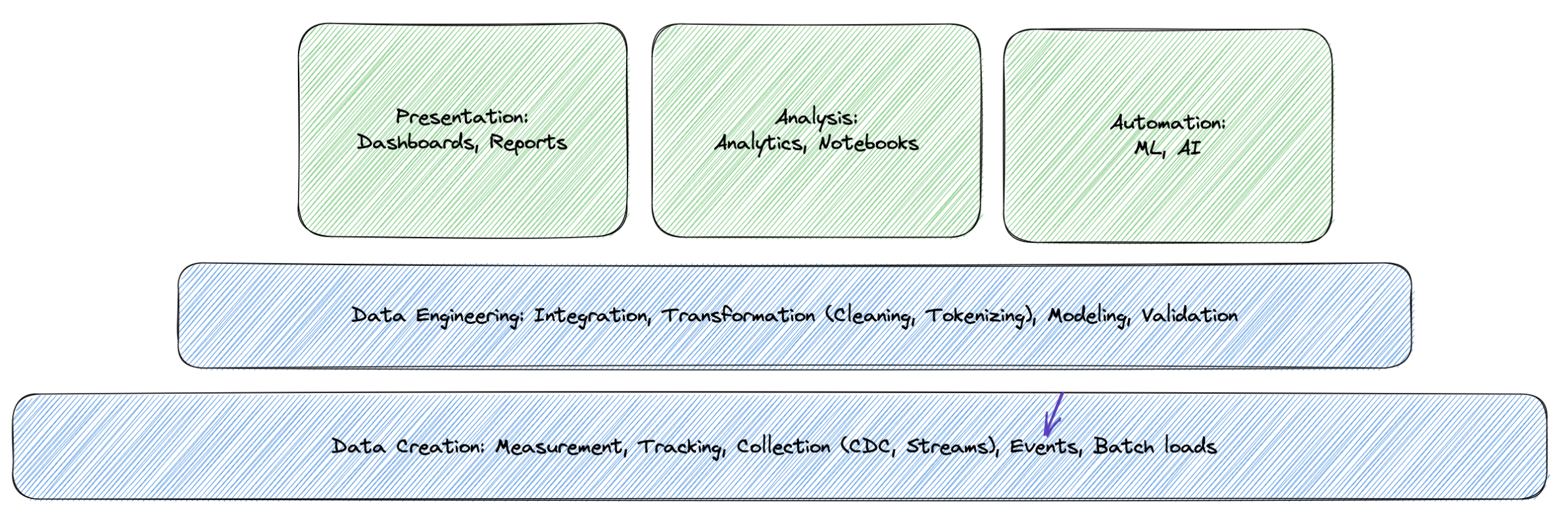
In my experience, when teams work on mid-size to bigger data stacks, the foundation, the part where data is created is often ignored. There is a reason that content about data contracts is so popular. They are an indicator that we have a control problem what should enter our data setups.
What Is an Event
In its simplest form, an event has a timestamp and a unique identifier.
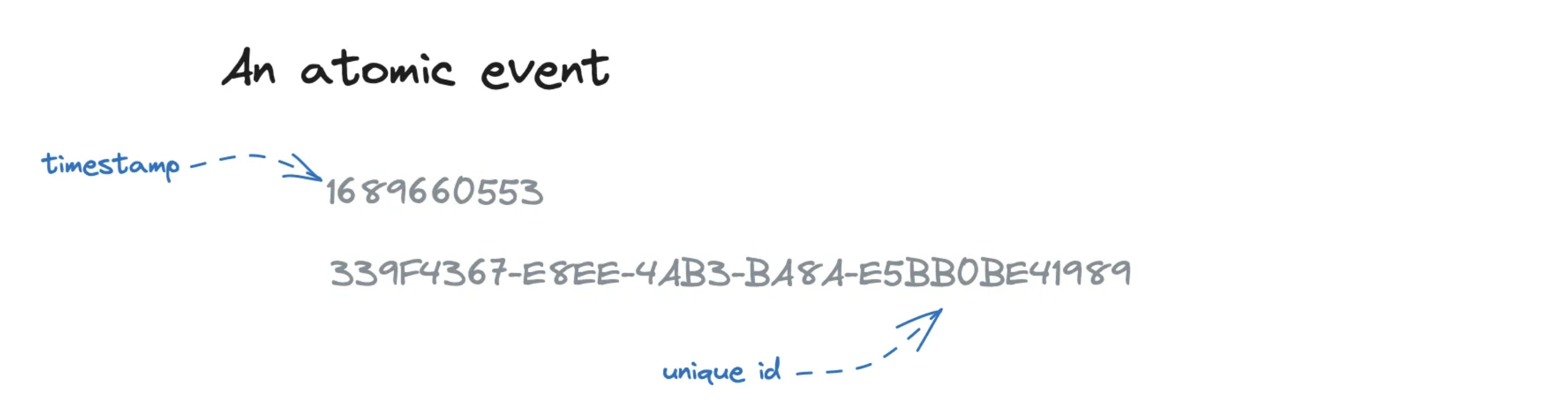
The timestamp is essential since event data enables us to understand sequences of actions from users or systems. We need a timestamp to bring this all in the right order.
The timestamp itself can become complex, but this is a different topic for a separate post (as a teaser: a client timestamp and a server timestamp are different — and if we analyze micro sequences, milliseconds matter).
The identifier is often a programmatically generated unique id. Unique is essential to handle potential deduplication.
In this form, the events are not telling anything. They are technically valid but missing at least one thing for analytical purposes: a meaning.
Adding a Name
So let’s extend it with a name. We give an event a name. With this name, we try to describe what kind of action triggered this event as best as possible.
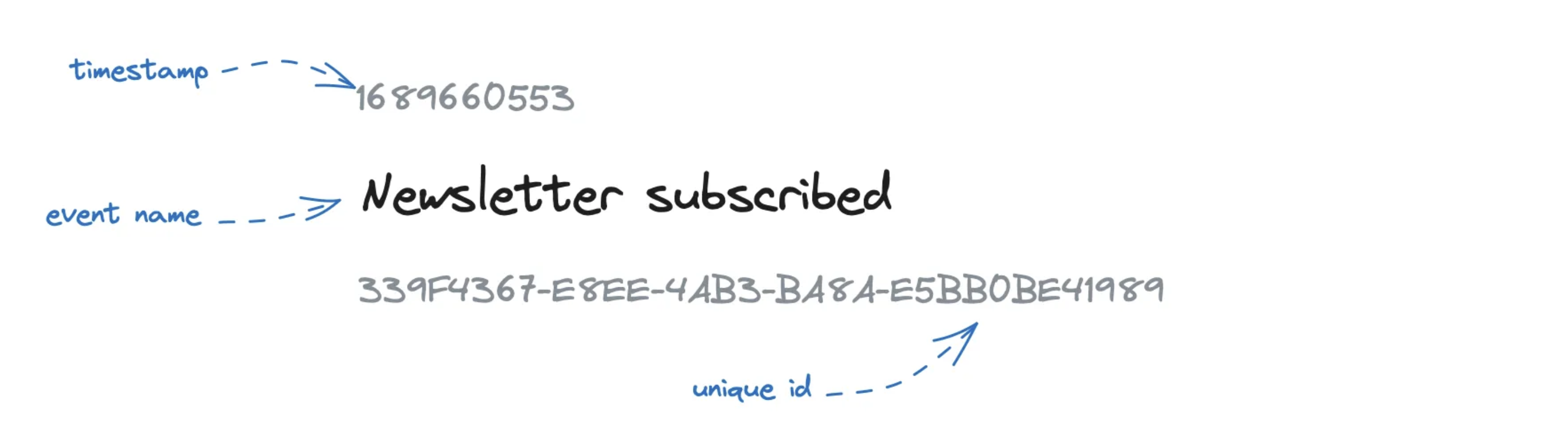
The reason is that we are now leaving the pure technical space we had before and entering the area of human mess, which is language.
We have an event and named it “Newsletter subscribed.” Now we get around and ask people what this means. And we ask beyond the obvious, “Well, someone subscribed to a newsletter.” Did they submit the signup form? Have they been added to our CRM? Have they done the double opt-in?
Adding Properties
One way to make the meaning more precise is to add context. And we do usually do that by defining key-value pairs that we add to the event data.
So our “Newsletter subscribed” event could be extended like this:
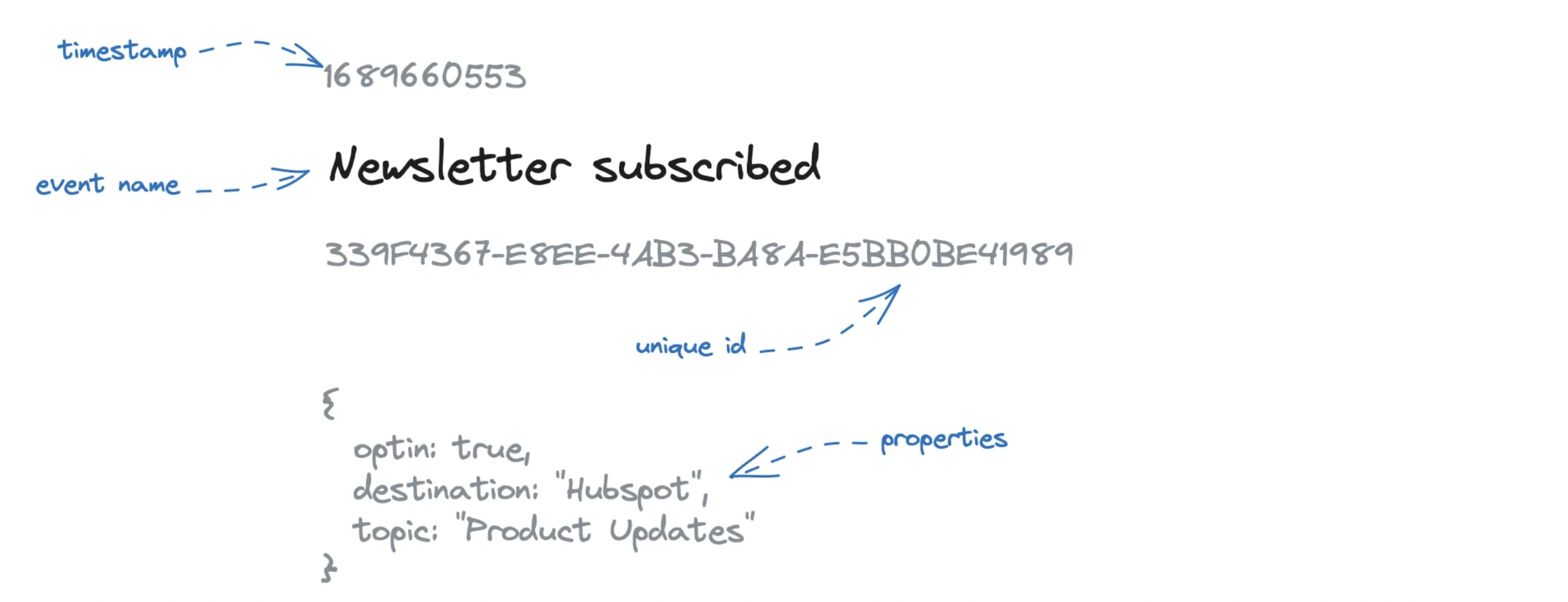
These event properties help us better understand the event’s context and meaning and give us additional dimensions to analyze event data (here, we could generate a chart that breaks down subscriptions by topic).
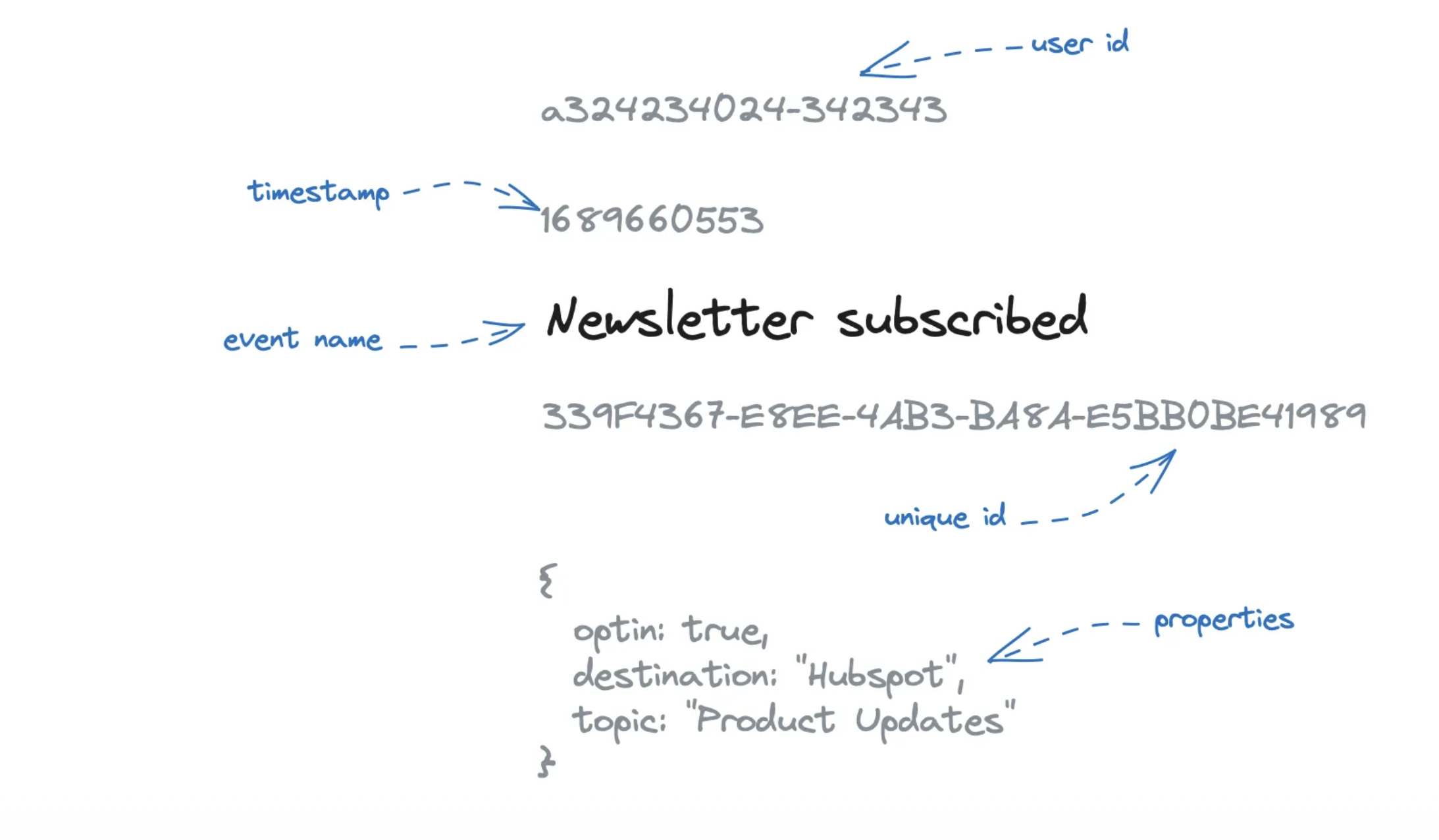
In most analytics systems, an event looks like this.
You can often see a user id attached to group events to a specific identifier. This identifier concept can also be even more complex, but in the end, we add ids that we use to join more context later during analysis.
Measurement, Tracking, Collection or Creation
First of all, there is no clear definition that would make a clear difference between all these terms. They are often used interchangeably mostly based on the person’s preference or experience.
In different LinkedIn threads and posts, different people tried different definition approaches without reaching clear results. So here is my approach to define all terms and set them apart. And to be clear, I don’t claim academic definition for them, they just work good for me like that.
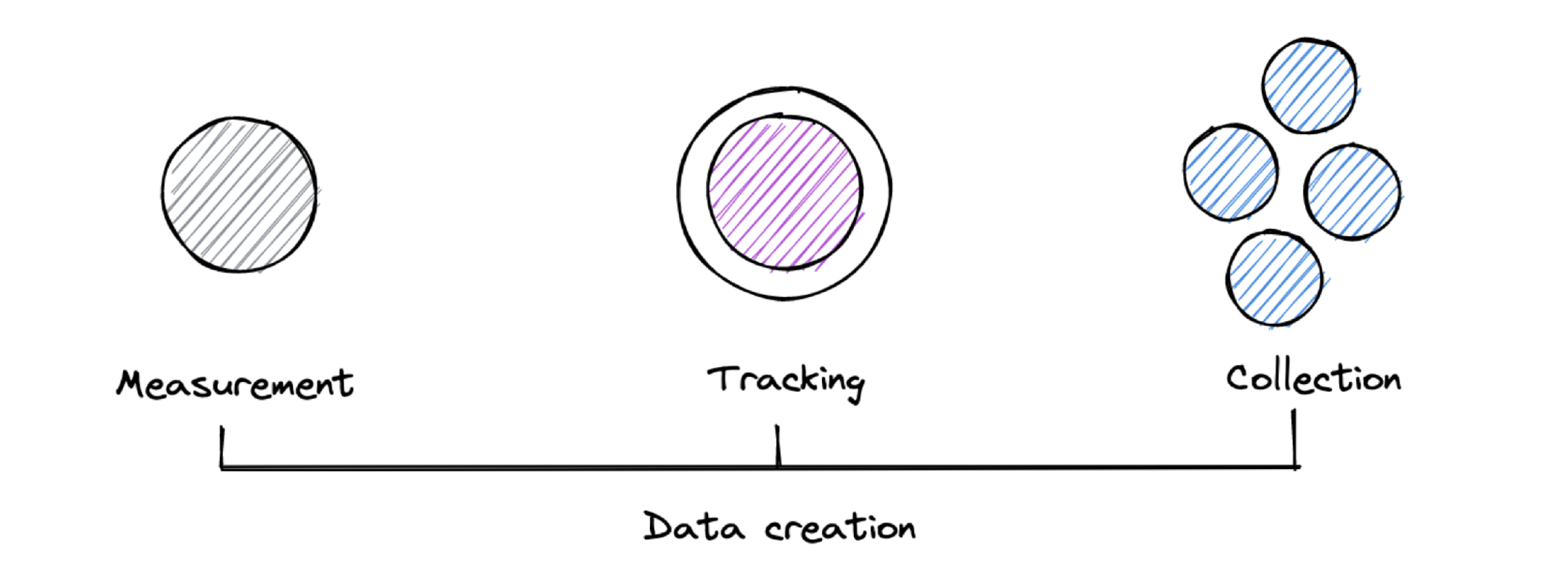
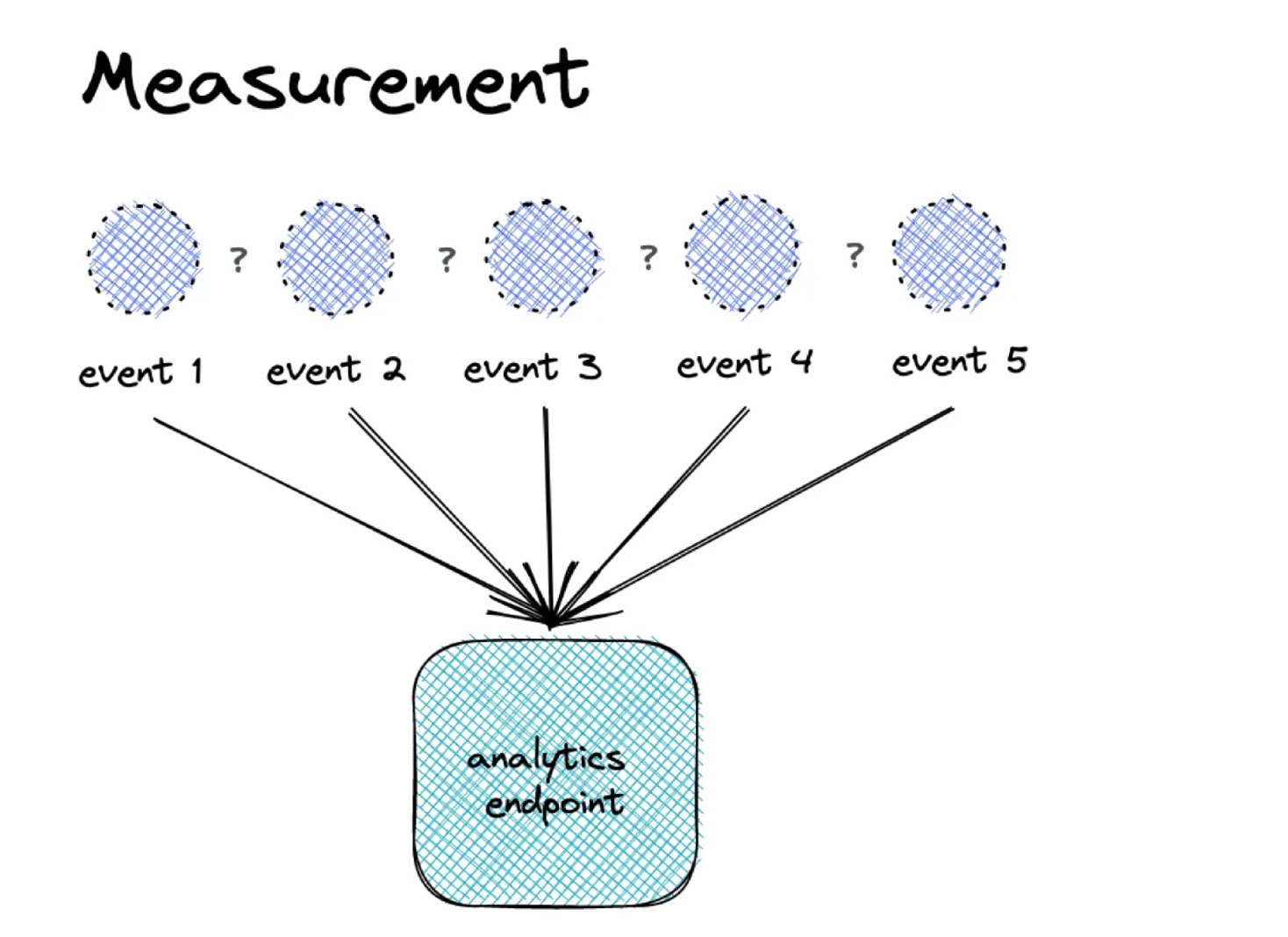
Collect a data point. Based on one article by Stéphane Hamel, I like the idea to see measurement as an unbiased step to collect a simple data point, like an event happening, or a temperature. It’s simply the process of this collection without any context what happened before or after. Maybe measurement is the innocent version, where tracking already took the apple.
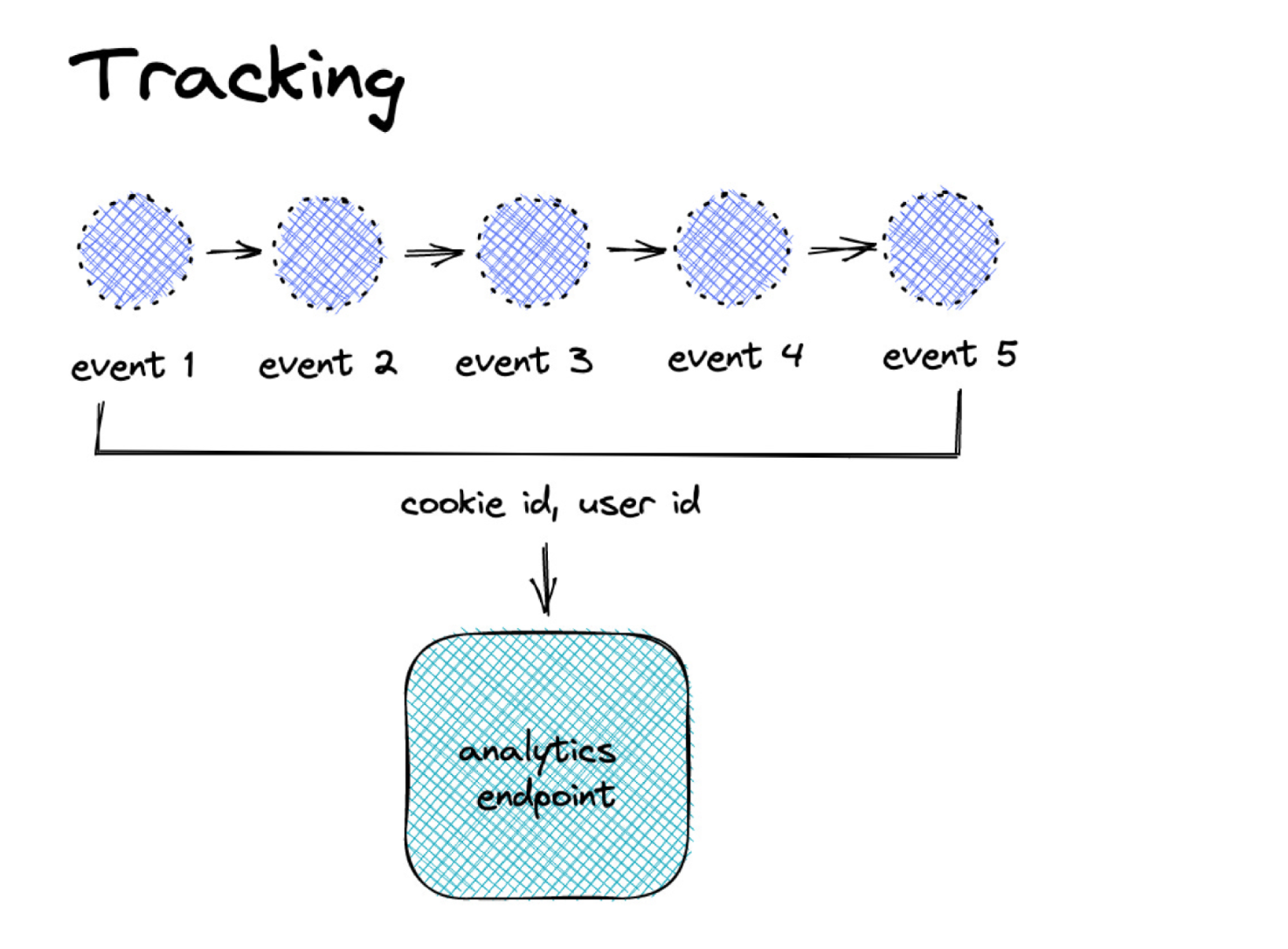
Adding an identifier. Tracking takes the concept of the measurement a step further because it encapsulates it with an identifier. This identifier enables us to later analyse sequences of datapoints like events conducted by one user (or process). But surely it causes more problems concerning user privacy since we can analyse a full journey (in worst case even across websites and applications). We follow an individual digitally and collect their footprints (or better fingerprints) along the way.
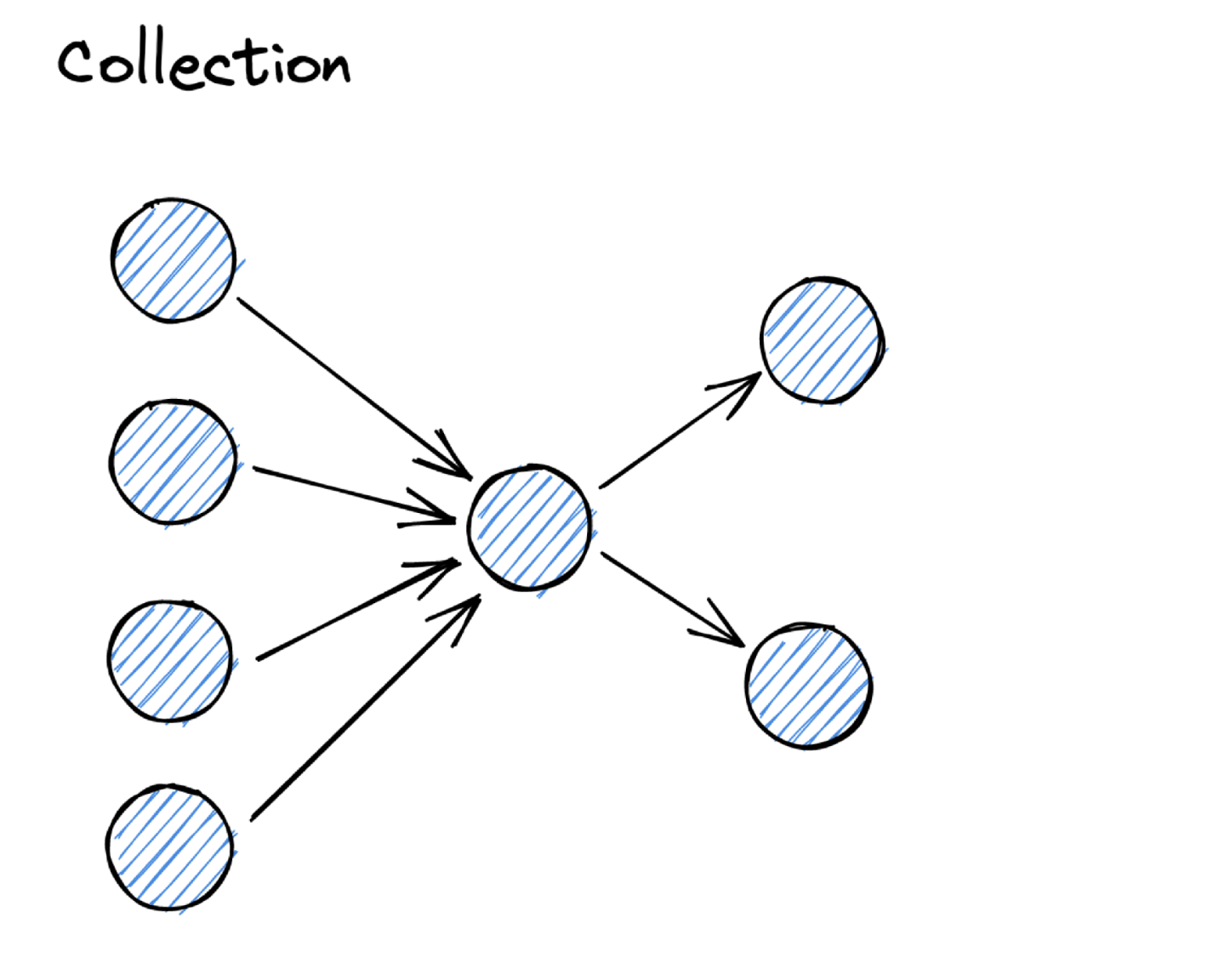
Receiving from other systems. Data collection is usually used when we connect to existing systems and record the event data that is relevant for us for analysis. The most typical example for this would be Change Data Capture (CDC) where you access the changes of a database table and derive events from it. Another example would be if you already use a stream to run your application. In that case you can subscribe to the stream and pick the relevant events from there. Another one would be webhooks that you receive from third-party applications based on specific events.
What event data do we need to answer business questions. Yali Sassoon, Founder and CPO of Snowplow introduced the concept of data creation. It immediately resonated with me, because it is a paradigm shift. To create something is an implicit activity, that usually takes plenty of thoughts and planning (or plenty of reiterations). To measure, to track or to collect in comparison don’t require that much context, you can simply do it.
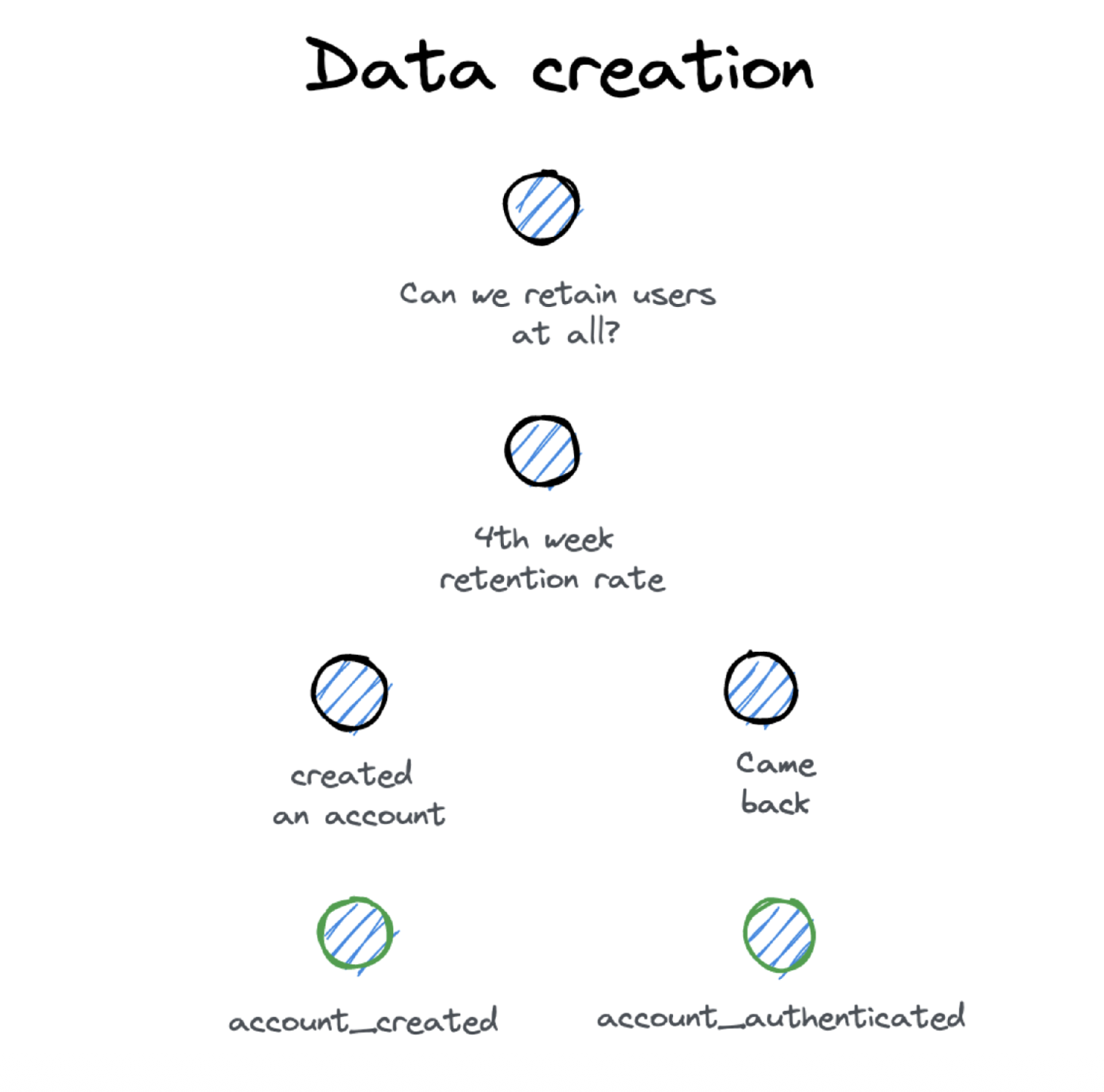
When you want to create data, you need an idea how the data should look like. Since this is not an easy task, a good idea is to come from the business side. Define a business question your team wants to answer and work from there, by breaking down the requirement step by step. And at some point you will arrive at the event data you need for this.
And the best thing, you already have mapped out how you will use the event data to drive business impact.
So What Do We Cover in This Book?
In general this book is about data creation, how I described it on the previous page. But I don’t like to rely on a term that is not really established.
When I ask people to describe their data problem, they say either we have a tracking problem, or they say data quality problems (where data collection is often a huge part of the problem).
We will cover the process of measurement of events, especially during the implementation process. Tracking comes into account when we look into how to manage the identification to group events to a proper entity (like a user). Data collection will play a major role when we look into different sources where we can get event data.
You will see me using the terms sometimes interchangeably and I already apologize for this. This is a workbook, so I try to stay close how people talk about things. It’s not an academic book.
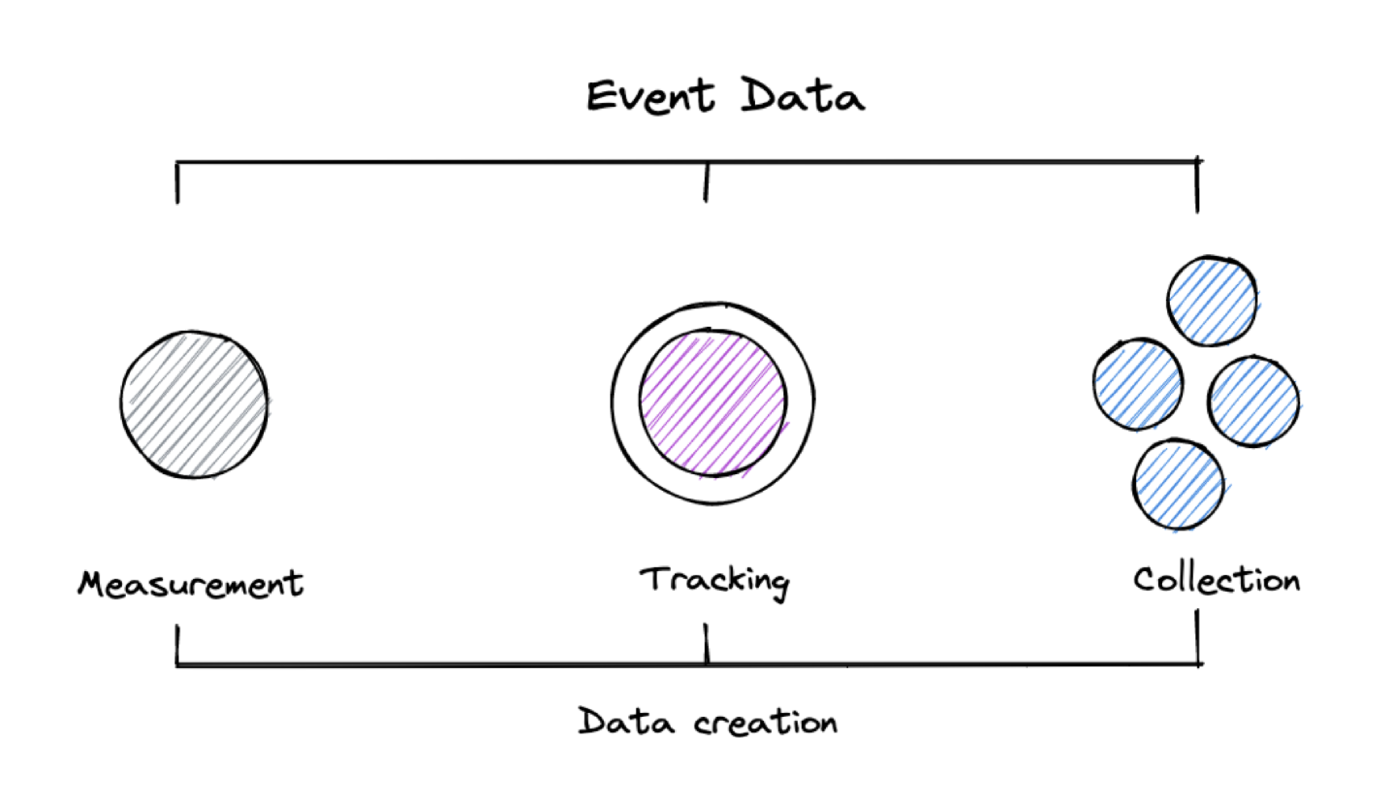
But looking at it from a technical perspective makes it a bit easier:
1.3 Why We Need Event Data
Can We Simply Track It?
Here we are again, sitting in a conference room, looking together at our web application. Arguing, thinking, brainstorming and being puzzled how to change parts to make it easier for our users to get value from our product.
And then someone says — can we just track how they use it after signing up?
A lot of things are easier in a digital product (production costs, maintenance, updates, experiments). But there is one thing that is hard to get: “A feeling how customers are using the product”.
Imagine you are a bookstore owner. You open up in the morning and then spend your day sitting at the counter, walking around, rearranging things but most important watching and talking to your customers all day.
Everyone in a physical store has a natural feeling what works good and what needs improvement. Just because you see and hear it every day. Magic.
Digital Products Are Different
Digital products are different to physical products. Not a huge surprise. But let’s list the difference which will help us to see tracking use cases:
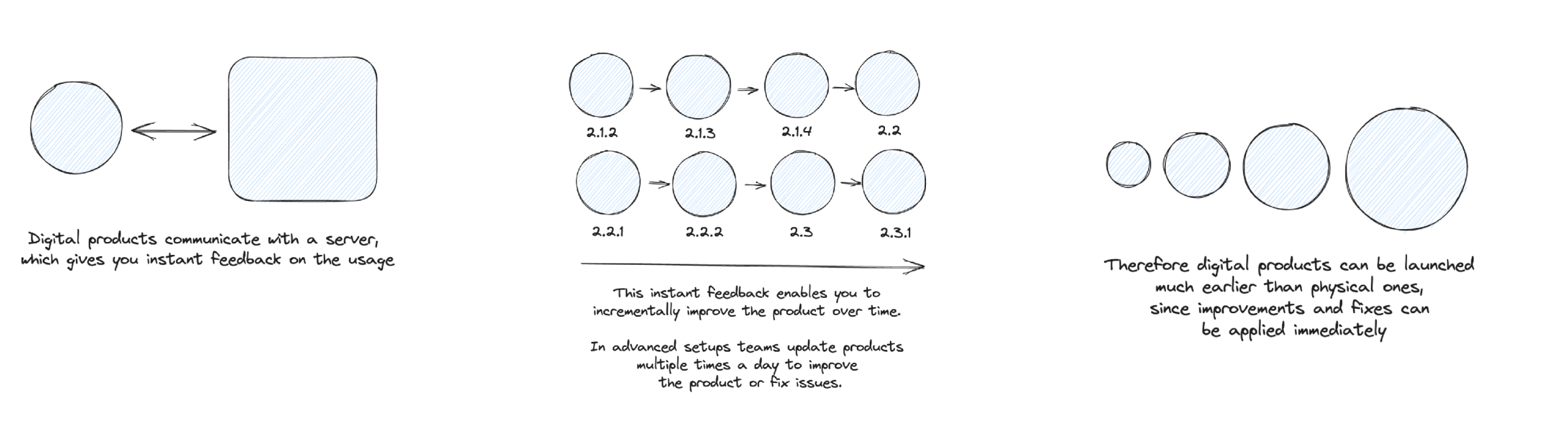
What made digital products so attractive to me is the fact that you can incrementally improve it. And therefore have the chance to build great products that allows your customers to make progress with less effort (compared to physical ones).
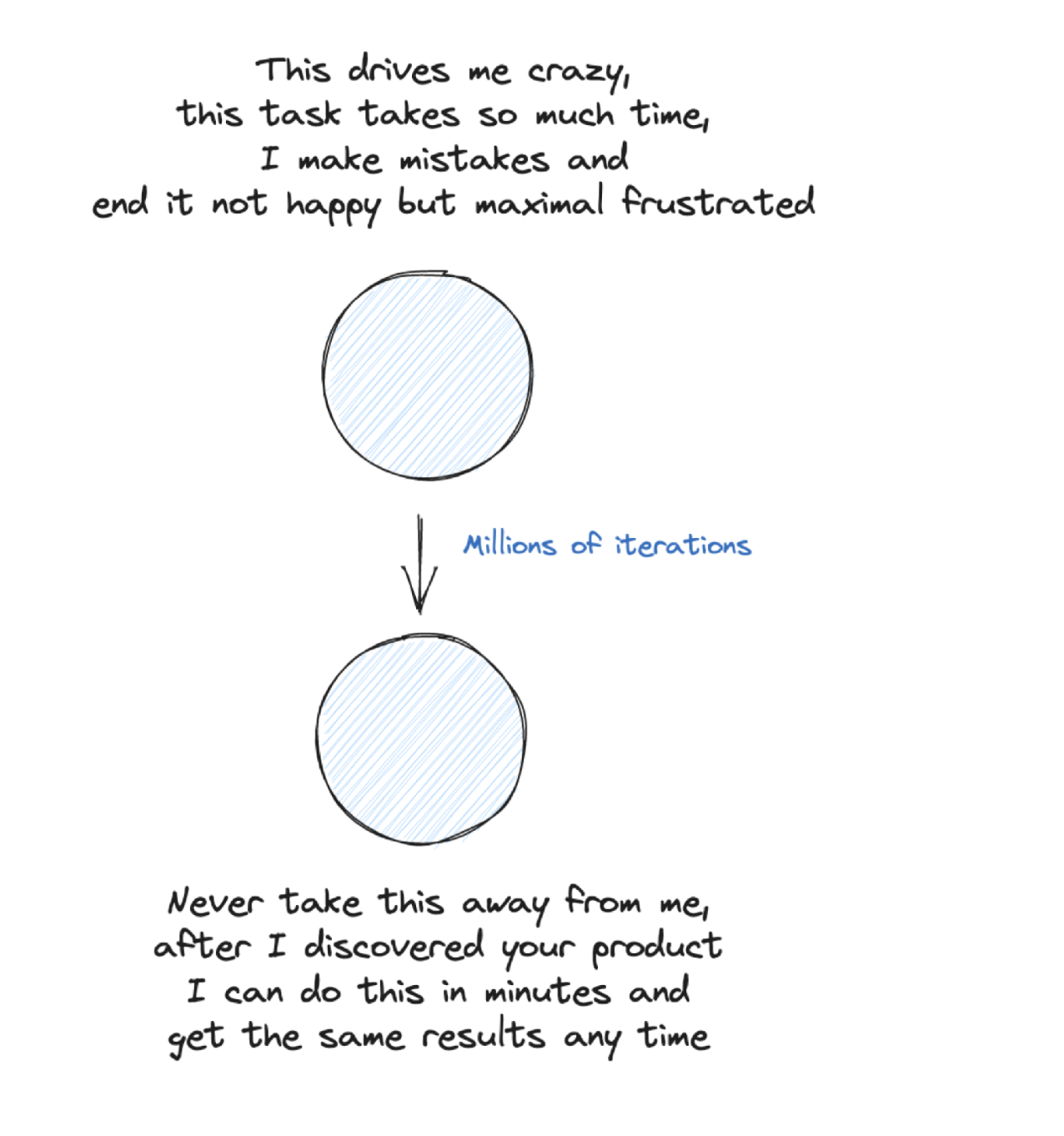
This is my main goal — help my customers to make progress.
We can keep this in mind. I will get back to this throughout the book. All effort we take to get a data setup, we do to help our customers. If we can’t achieve that, a data setup is not worth the effort.
The Different Types of Data for Product Development
When we talk about data-driven product development for digital products we can use different types of data.

Survey data: Using survey data in product development involves collecting feedback from users through surveys, analyzing the responses to gain insights, and leveraging those insights to inform and guide the iterative design and development process of a product. The data is scalable and when connected to your Data Warehouse or analytics system can add interesting user dimensions to create cohorts.
Revenue data: Utilizing revenue and subscription data in product development involves analyzing key financial metrics and customer subscription patterns to identify opportunities for optimization, expansion, and innovation in the average account revenue. Connecting with revenue data is the final truth, but it is also a tricky business, since you usually work with long time periods. So revenue data are classic lagging metrics.
3rd party data: Leveraging for example CRM and customer success data in product development entails utilizing customer interactions, feedback, and usage data that is collected in these tools to enhance product features, address pain points, and drive continuous improvement based on customer needs and preferences.
Experimentation data: Utilizing experimentation data in product development involves conducting controlled experiments, analyzing the results, and using the insights gained to make data-driven decisions and iterate on product features, user experience, and overall product strategy. For me experimentation data is the core additional data that you should use in product development.
Interview data: Leveraging user interview data in product development entails conducting insightful conversations with users, extracting valuable feedback, and utilizing those insights to shape product features, prioritize user needs, and drive user-centric design decisions. I would say this is the most under-rated type of data to combine with event data. But interviews can help you to get ideas about where to track value situations and what kind of cohorts are worth to check.
Event data: And finally our lovely event data. Why I love event data for product development? For two reasons:
- Speed of feedback
- Unbiased insights
Speed of Feedback
The reason why I started to work with event data in product was that I needed a fast feedback loop when we are working on features that should improve our goals.
Interview & user test data was helpful, but it takes time to set up a test and you can’t scale it easily. And all data is collected in a lab environment.
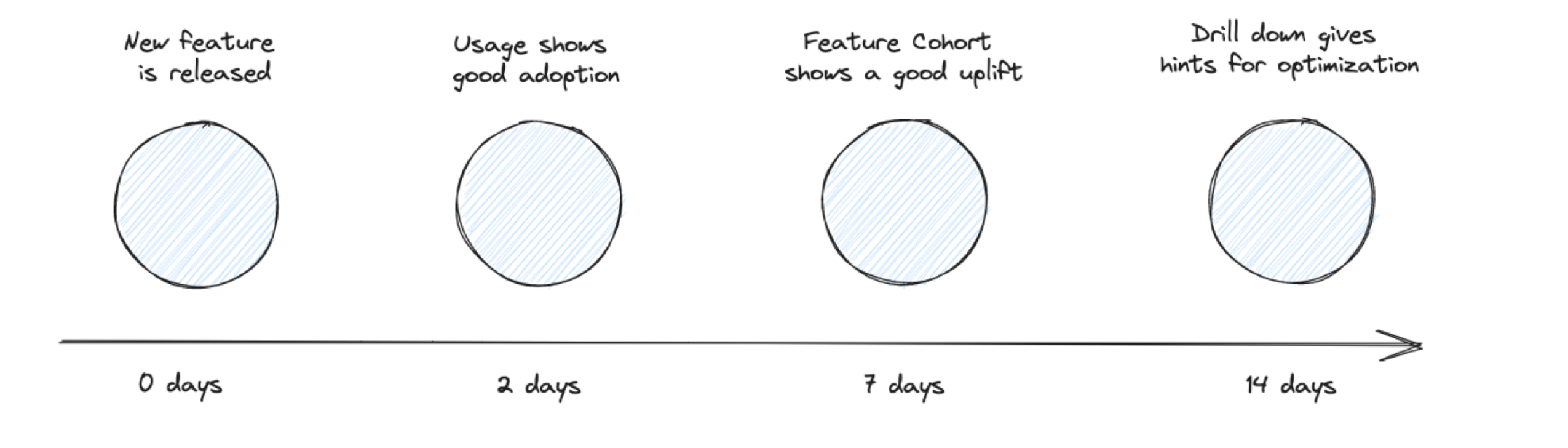
Event data is immediately flowing in, once the tracking is implemented. So when I release a new feature, I can quickly check how the initial adoption looks like. Nothing gets released in an ideal state, so iteration is the key aspect of any good product development. And this is only possible when you have event data.
Unbiased Insights
Coming back to the interview and user test data. As pointed out, the major problem is that the data is influenced by the test environment and the users are testers not users.
Event data is tracked by users who actually are using the product. In their environment without thinking that this is a test at all. This makes event data more unbiased than the other data types.
How to Get the Benefit of Speed and Unbiased
How can we get the benefit of speed and unbiased incorporated into our product work? Two ideas:
Measure and watch your core customer journey funnel. Map out the 6-8 core steps of a customer journey (found, signed up, first value, second value, subscription, subscription renewed). This funnel broken down by different segments is your goto report to watch your product health.
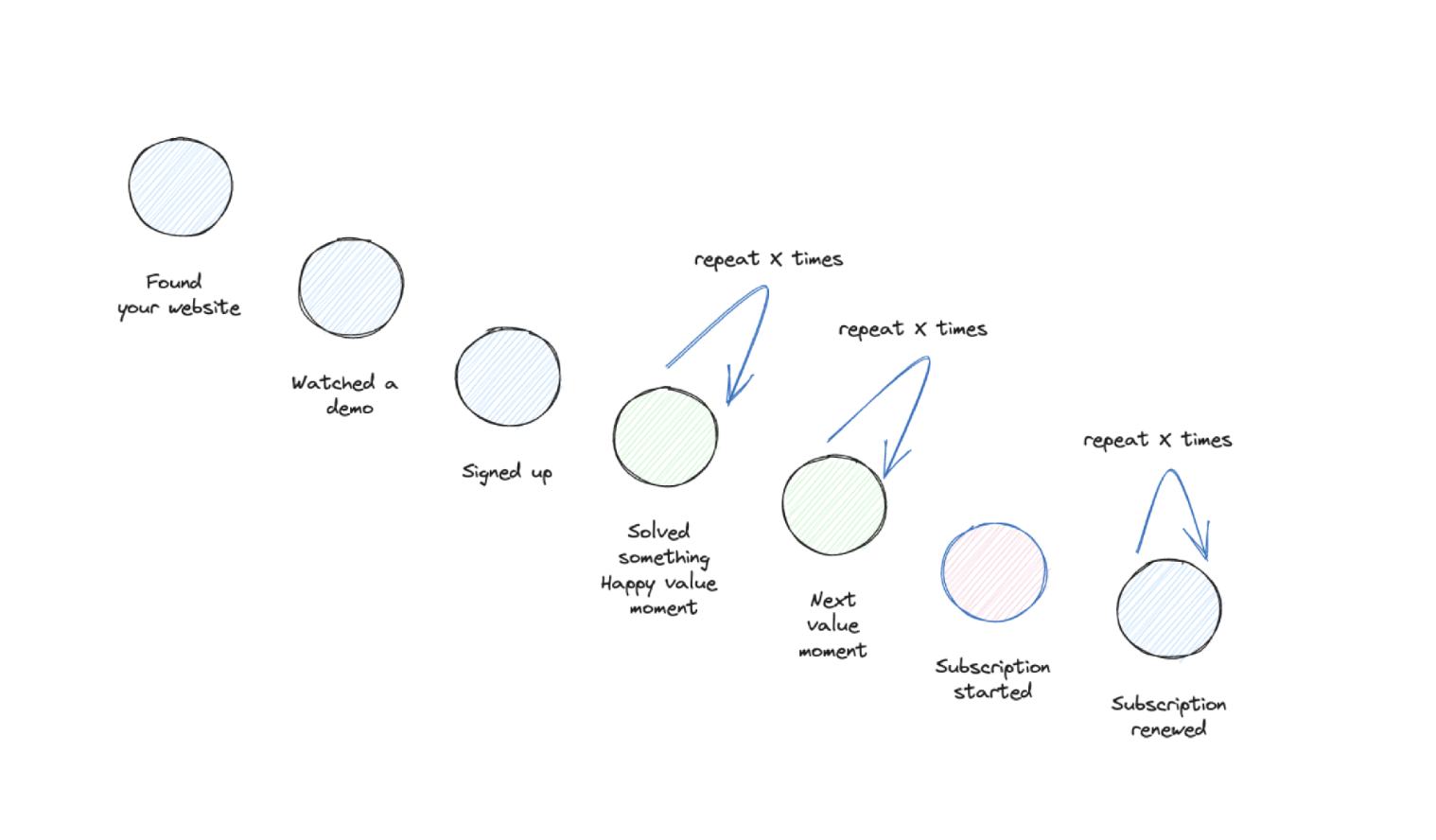
Measure if your product sticks. Similar aspects as the customer journey funnel, but we focus more on people coming back within cohorts. First analysis based on value moments, how often do people experience value moments on a weekly basis after signup? Second, subscription retention, how often does a subscription get renewed?
Iterate with feature dashboards:
- Define clear hypothesis what you want to change with the new feature you introduce.
- Define the event data that will show how the new feature is moved (we will see this in detail later).
- Roll out the v1 of the new feature and set up a feature dashboard, so that you can see how the new feature performs in general, but also how the cohorts look like who are using the feature compared to the non-users.
- Rinse and repeat — do the same thing for the v1.1, the v1.2.
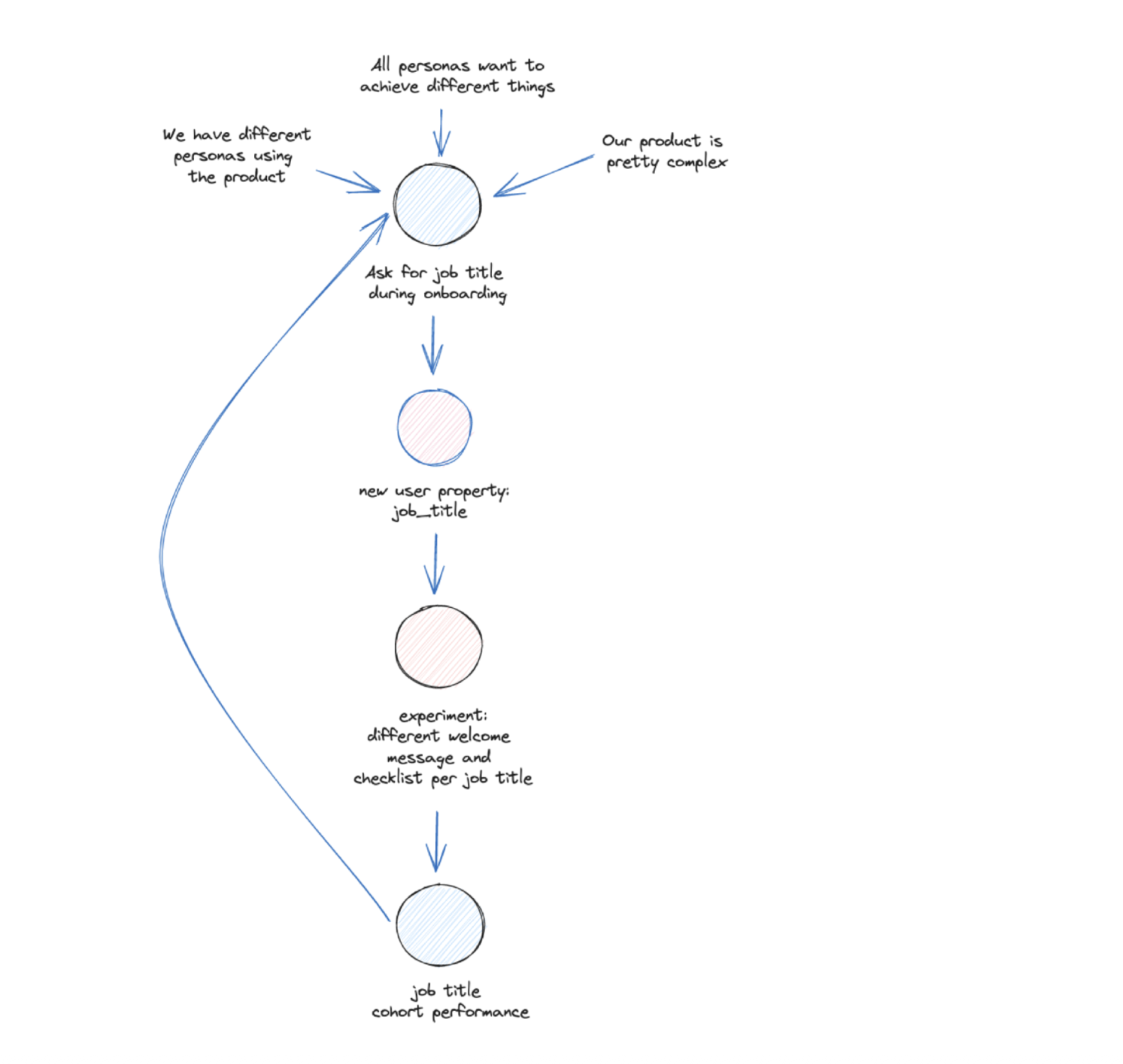
The Process from Idea to Value
This all sounds great in theory, but as this book has plenty of pages, the reason for it is that the process from tracking an event to value for your business and product can be long and tedious.
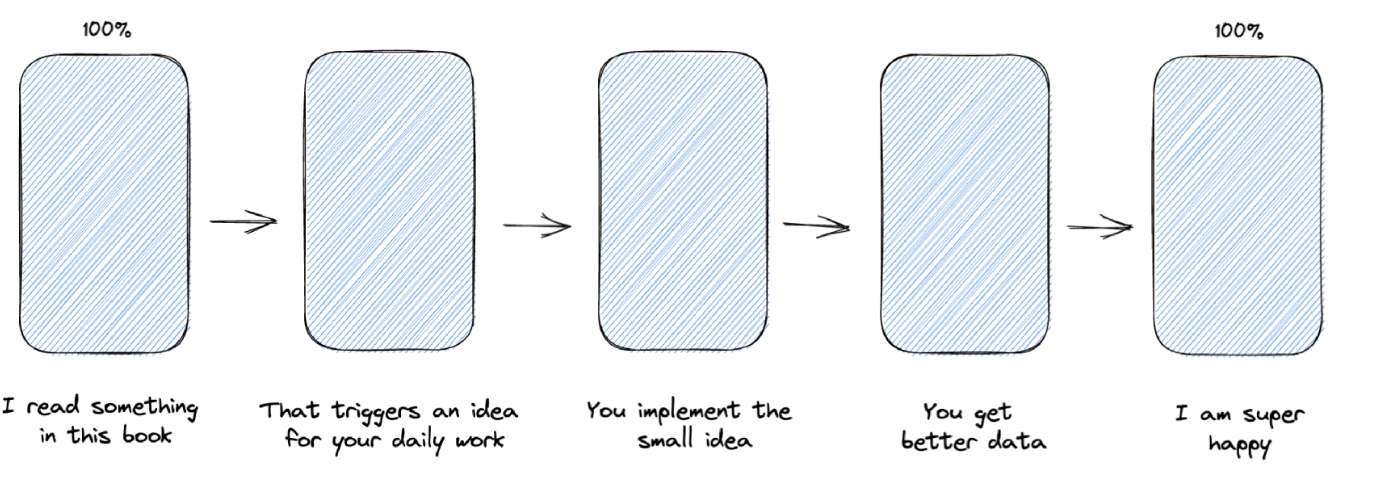
This process has its own chapter, and we will spend the most effort on finding ways to speed it up there.
Driving Operations & Revenue
Let’s look a bit beyond product to understand that product event data is not only useful in product but also beyond.
Growth operations. Any growth initiative needs instant feedback on how it impacts product adoption. Do people sign up, get started, and finally convert into subscriptions or other revenues?
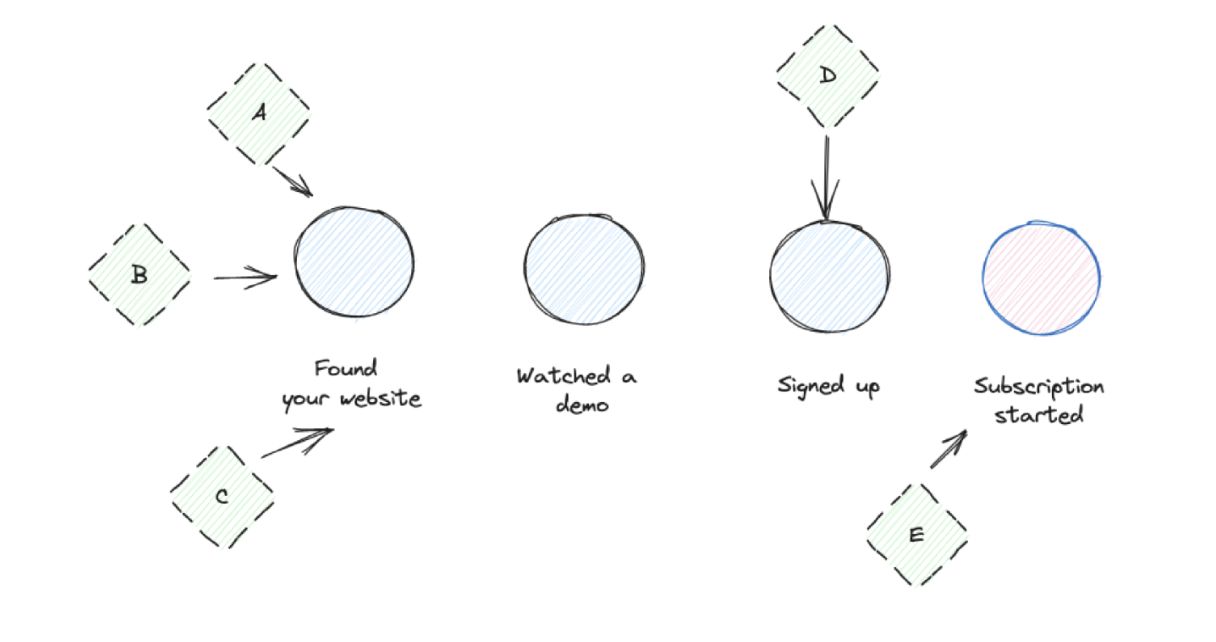
Customer success. If you have a dedicated customer success team, they need core value events in their systems to create new communication flows to help customers to progress.
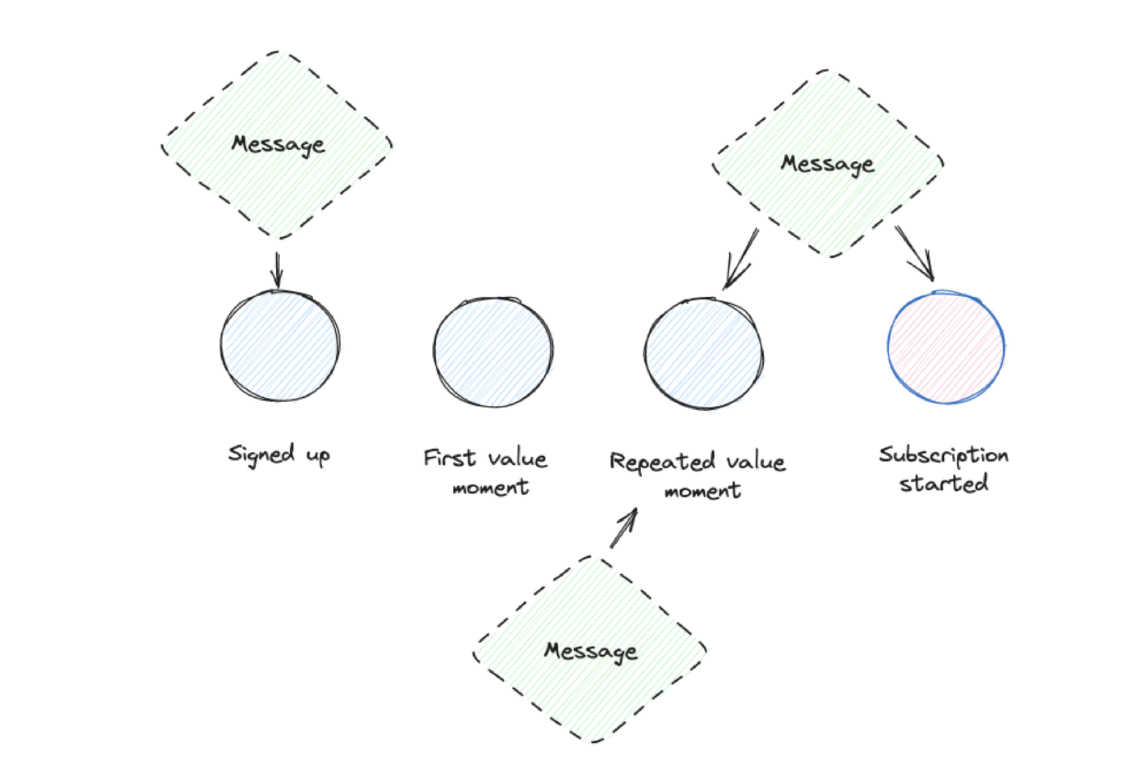
Sales success. Sales teams need insights into how their accounts do in a trial or within a subscription when they are up for contract renewals. This kind of event data helps them to get a detailed picture of usage and customer success that makes any talk significantly easier.
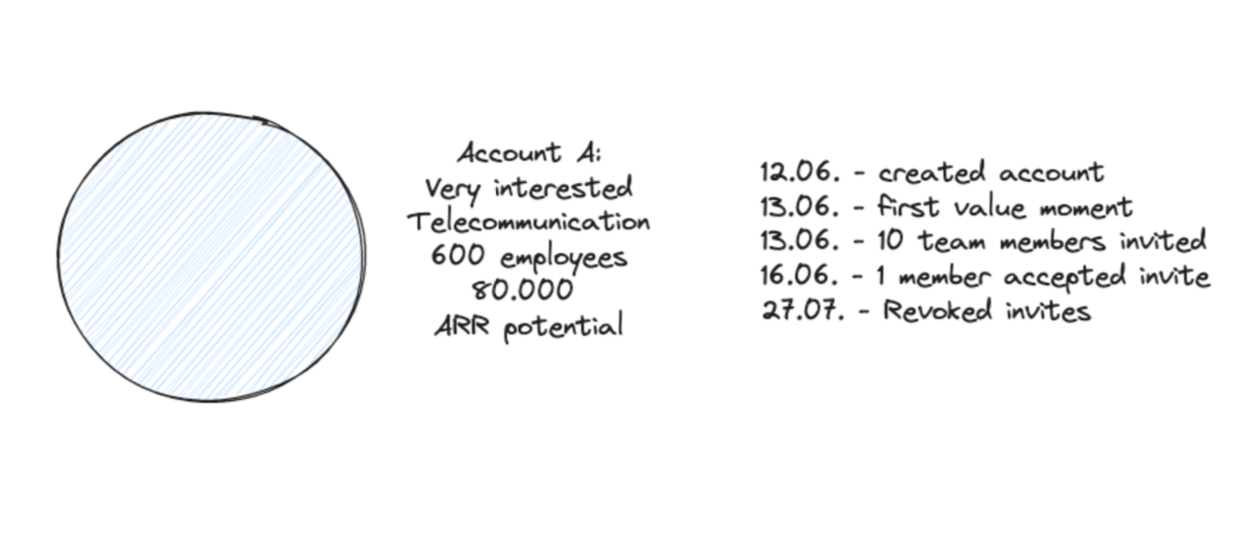
Revenue growth & planning. The team that owns the revenue (yes, there are setups where one team is owning it — see RevOps) is happy about any additional context that can help to develop churn prediction and powerful cohort models that helps them to model and work on revenue extension.
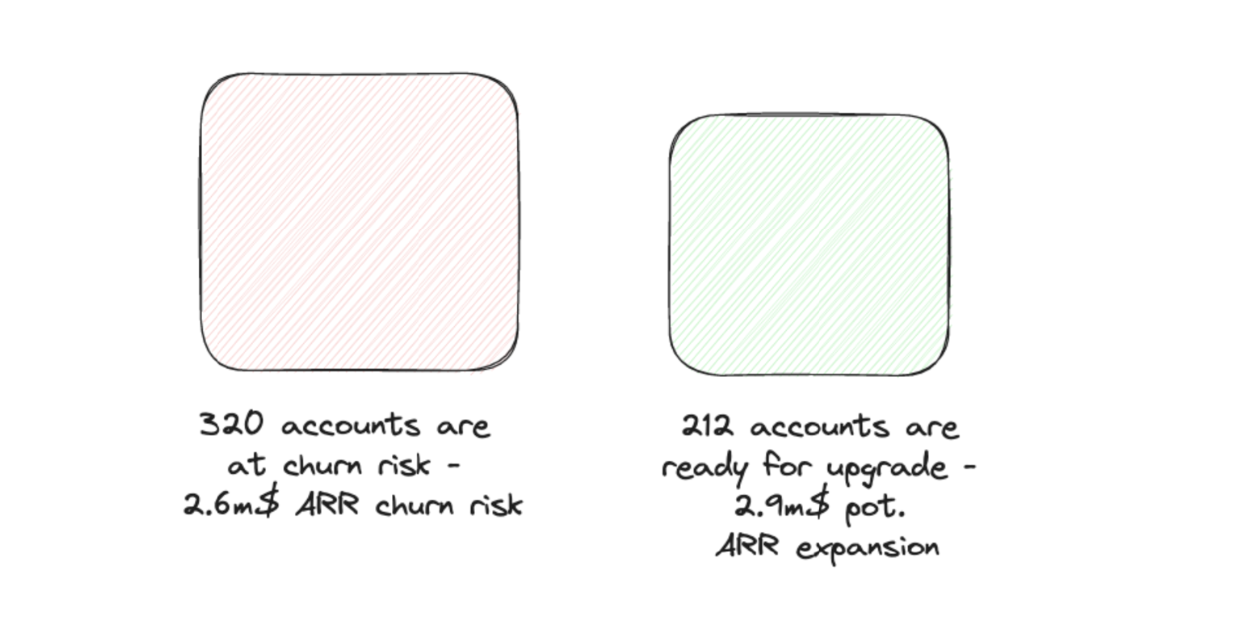
When Is It Ok to Not Have Any Event Data?
Naturally, it is ok at any time. If quantitative data is not something you want to work with, don’t do it. Really I am serious.
Also, when you don’t have a resource to work with the data. You will see throughout the book that it takes quite some effort to get value out of event data. This effort needs to be worth it.
So if you don’t see anyone working with this data right now don’t push. Maybe include it in your next hiring to have someone who likes to work analytically.
Another case: If getting event data is extremely hard to achieve, you need to sit down and get an idea of the implementation effort. Some legacy system setups can be so hard to extend that it is just not worth the effort.
1.4 Common Event Data Problems
Maybe it is an unusual approach to take a step into the future if you would start with the implementation, to see all the problems that might arise for you.
But most of you, who are reading this right now, do already track event data. And most of you have a history of event data tracking problems.
So we use this experience to span the arc for this book based on the problems that you can encounter. By that, we can keep referencing back when we talk about solutions.
If you don’t like to face and start with the problems, no problem. Just skip ahead to the next chapter.
We organize problems into four categories:
- Design — what problems can arise because of problematic designs (this category is a lot bigger than you think)
- Process — what problems happen due to the process of adding & updating event data
- Implementation — part of the process, but so significant that it deserves its own category
- People — no problem without people, and as we will see it contributes to serious issues
Design Problems
No Idea What to Do with the Data
My dear friend Ecki coined the nice term “people who stare at data” (based on the movie) describing all his data and analytics experiences. And to be honest, I see this all the time in all different kinds of companies.
I did a really good setup for a startup. Yes, good, in my sense. When I would have this data, I would start rolling. But the teams come back after some time and ask: what should we now do with it?
Based on the project performance, I clearly failed to deliver something with value.
An easy answer to this problem is that we miss proper training. If we are better at training these teams, they will do wonders with the event data setup. Unfortunately, it is not that easy. Don’t get me wrong, training is necessary and product analytics is not an easy topic.
But when I investigated the reasons that are leading to the “people who stare at data” syndrome, I discovered a design problem.
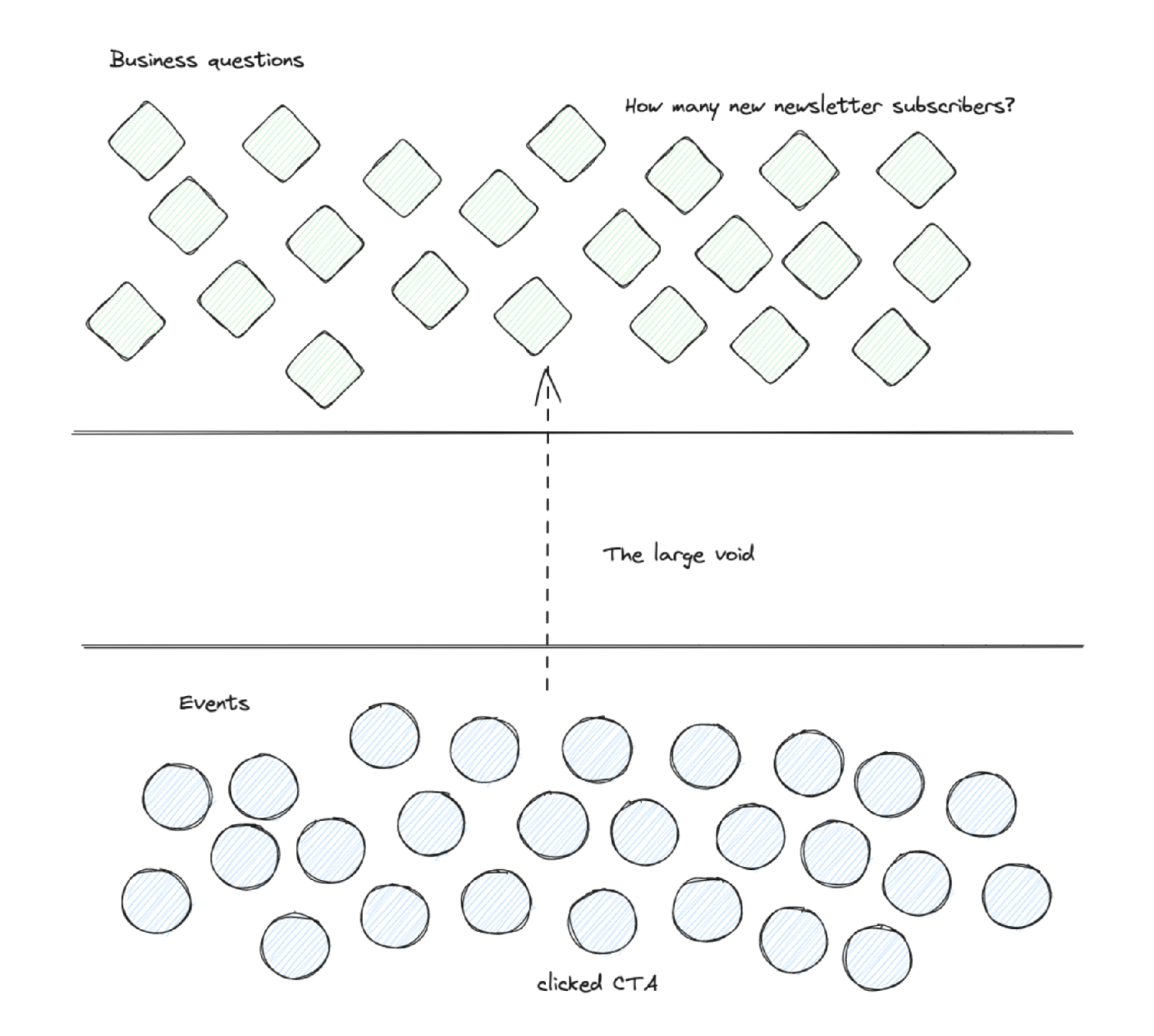
This creates the gap between event data and the daily questions because plenty of effort is required to translate a tracked event into an answer to a growth team question.
We can make a design closer to non-data teams’ daily work. It then still requires analytics skills to excel, but the bridge is much smaller.
Too Many Events
This one is my all-time favorite. And mostly because I did it wrong for many years. As I was working as a tracking consultant, an essential part of my job was to create a tracking plan. It was an essential deliverable.
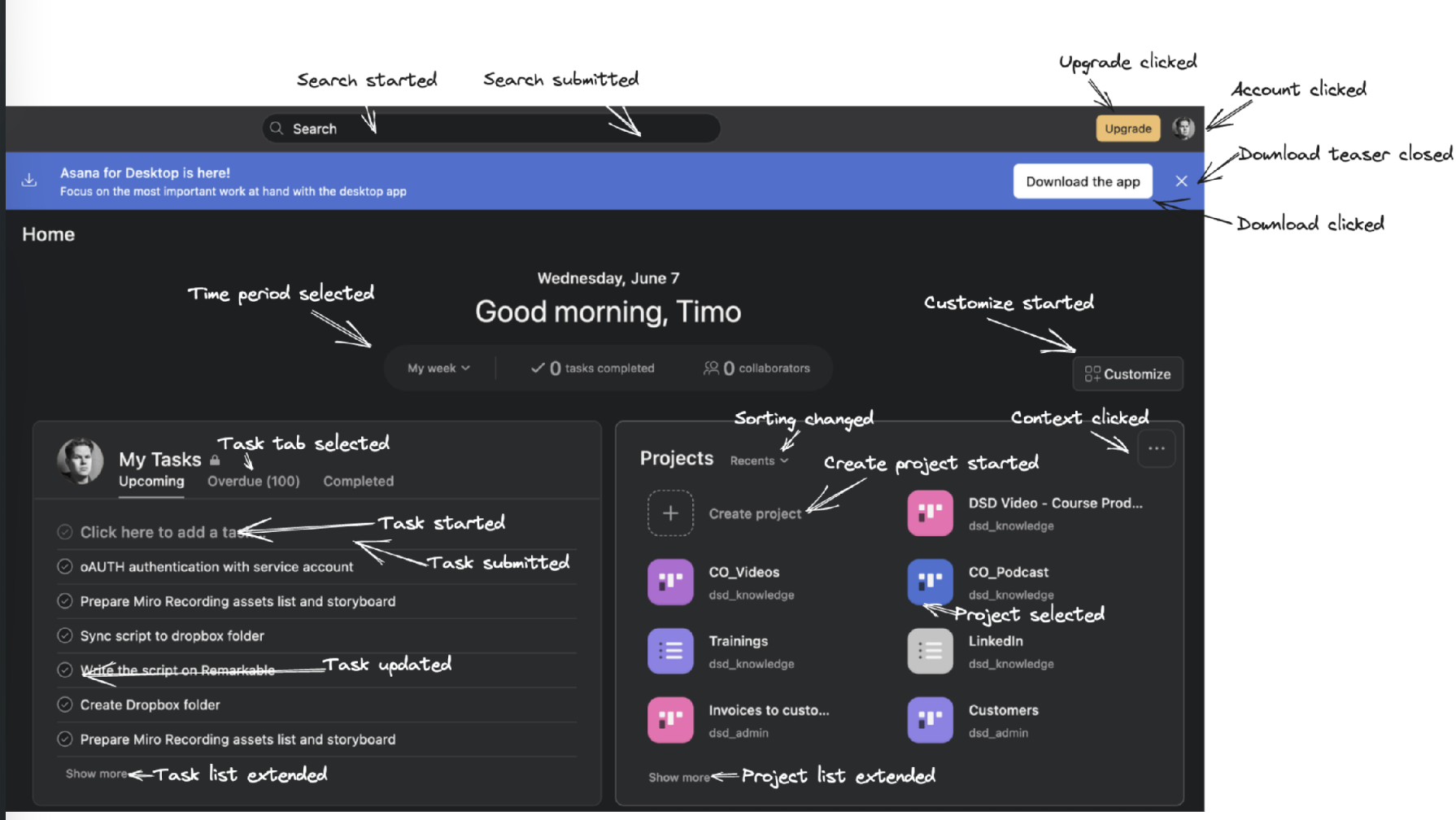
And now comes the classic consultant mistake. I felt that I needed to deliver an extensive tracking plan to be worth the money my clients paid me. So I delivered a tracking plan with easily 40-70 unique events. I can tell you, all developers hated me. And rightly so.
There is definitely an event data FOMO when we talk about tracking data. At some point, someone will say: “But if we don’t track this now but need it in the future, we miss all the historic data”. This was the part where I gave in. And most teams do.
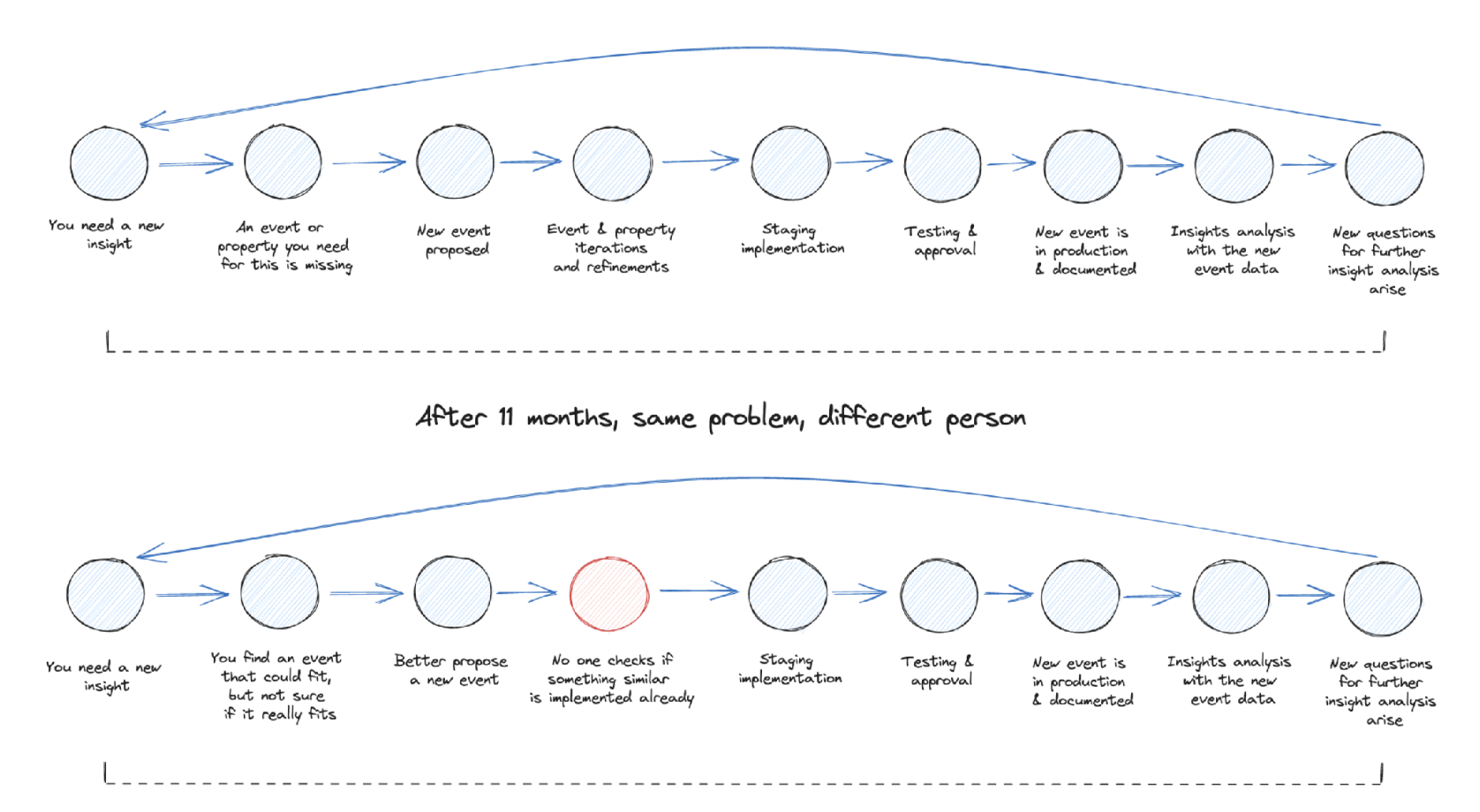
The other leading force that creates too many events is just time (and a missing process). You can start with a lean setup, but there will be someone who can’t do an analysis because some data is missing. So this gets into a ticket and gets implemented.
This process often misses a step to revisit the requirement and how to add it leanly. And in a worst-case scenario, you start to implement duplicate events. Just because the initiator could not find the existing event and no one in the process checked if it might have already been tracked.
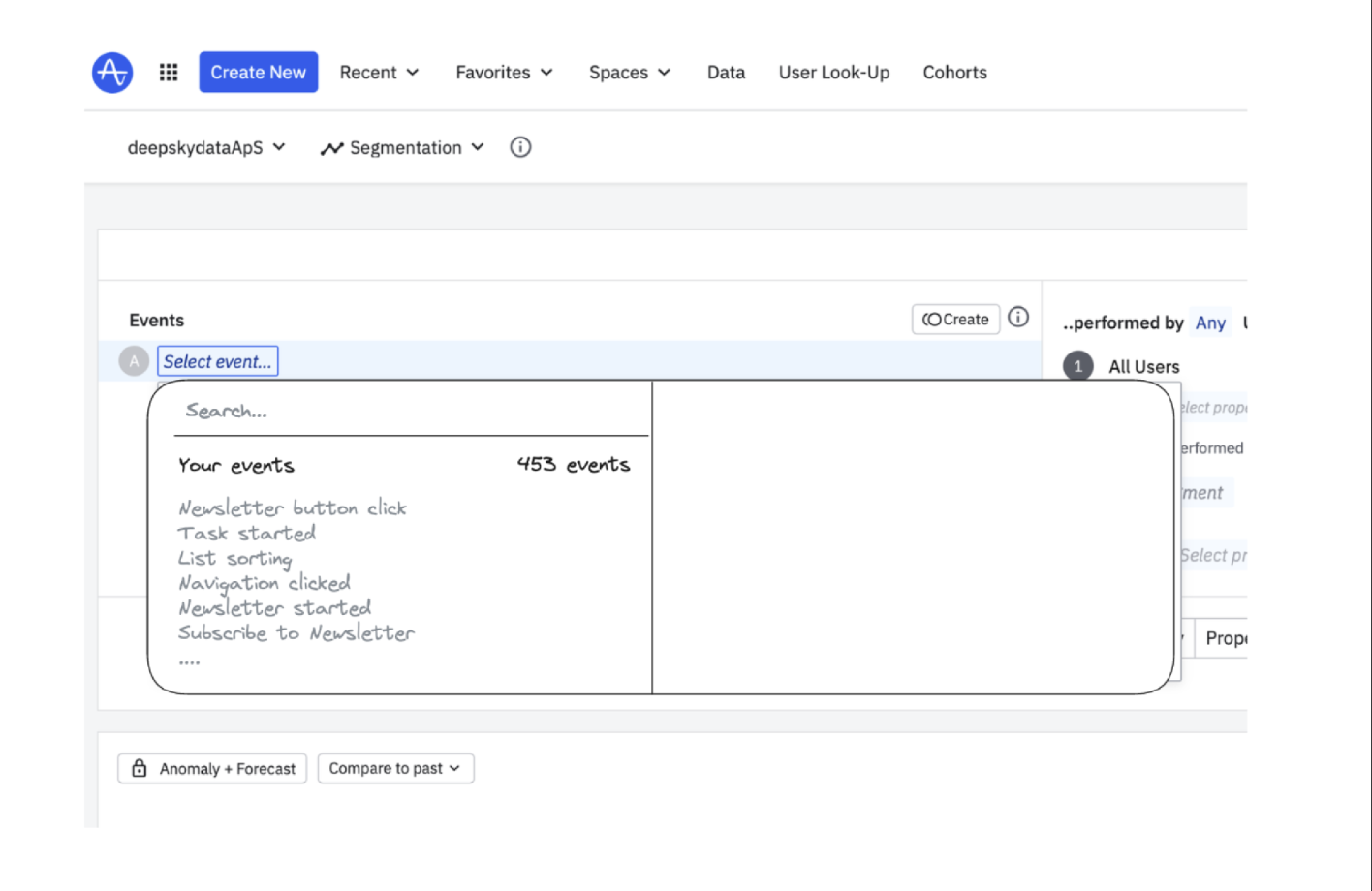
Too many events are causing different problems:
- You can only monitor X events properly
- You need to select the right two events for a cohort analysis out of a list of 200 events
- You are not sure if this is the right event you build your analysis on (figuring this out takes 5 days or more)
- You make onboarding of new people to the data setup basically impossible
Process Problems
Launch Later or Without Events
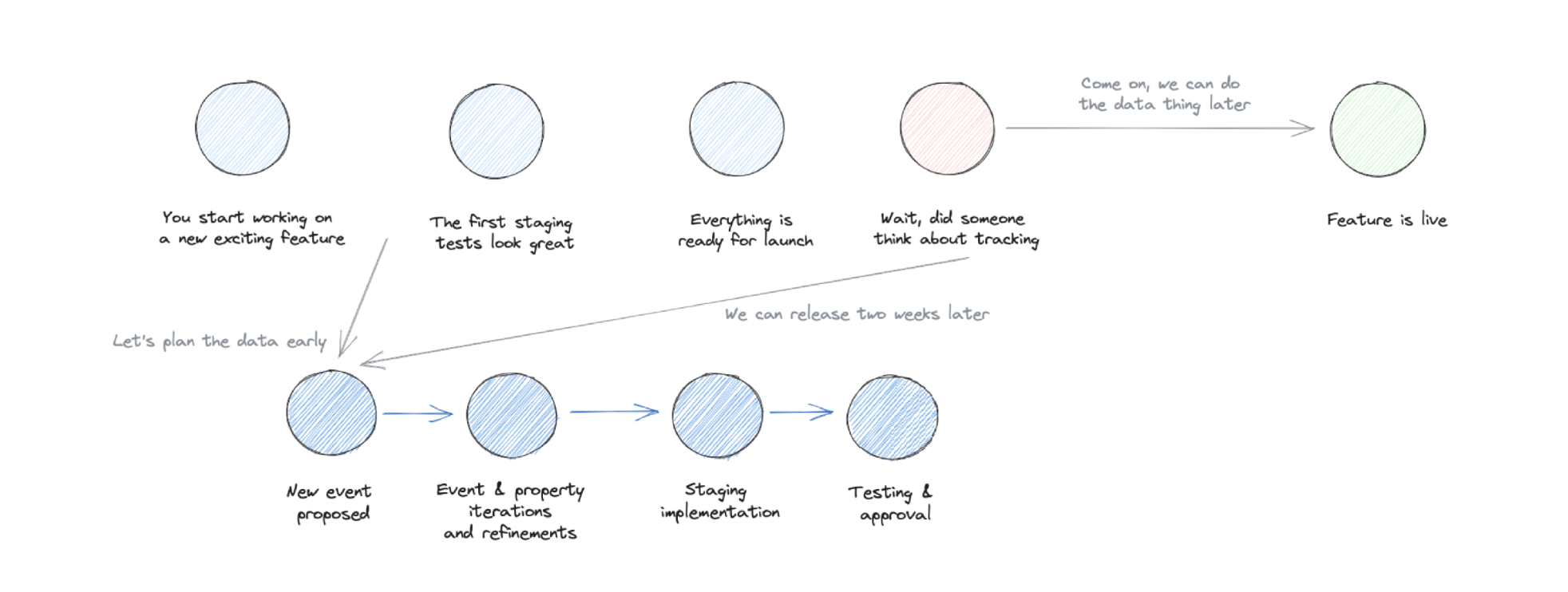
As I have written before, one of the values of event data is the fast feedback loop. Let’s take the classic Build, Measure, Learn cycle.
You discover a problem your users have that your product does not solve sufficiently. Your team is conducting some interviews, and based on the feedback, you develop different hypotheses on how to help your users. Based on this list, you start prioritizing which hypothesis and solution you should implement and test.
Implementation is done. Just before the launch the big question: did you add the event data tracking? Oh, no — sorry. Can we add it quickly? We can, but it will take at least one more sprint.
The Love and Hate of Documentation
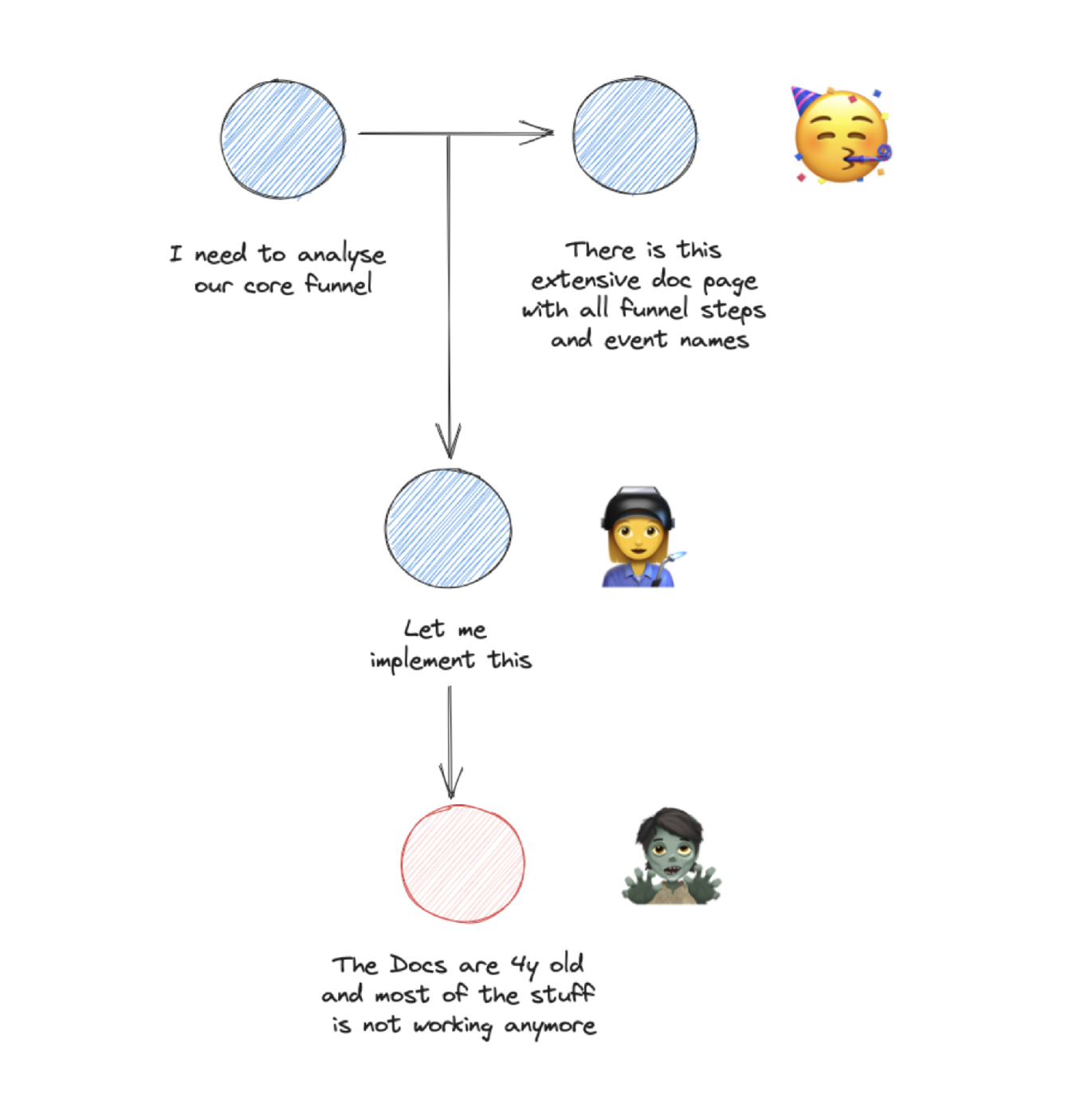
Imagine you start in your new job. Your task is simple: Too many users struggle to get started with your product. Your manager sends you a link to the event data documentation so you can get started analyzing the current behavior.
You are quite amazed at how extensive and up-to-date the documentation is. You quickly find the relevant events to get started, and after just two days, you have a starting point for further user research.
Who wouldn’t love that scenario? Unfortunately, it is rare, and the reason why it is rare is the effort and a missing process for it.
But not only the short onboarding of new users and the daily work with the data benefits from good documentation. Imagine you want to figure out how a new cohort of users behaves to build it needs specific event data. In good documentation, you can quickly see if this is already implemented or maybe needs a new one.
We will have to look at tactics to set up a documentation process that is lean and efficient.
Event Data Needs to Change Over Time
This is my central issue within the process category and is so important that you will see later a lot of recognition for this topic.
I described it before. The best event data setup you usually get → after you have done a new event data design and implementation. So the green field approach. I usually tell my clients that their event data gets worse from the next day after they have implemented it.
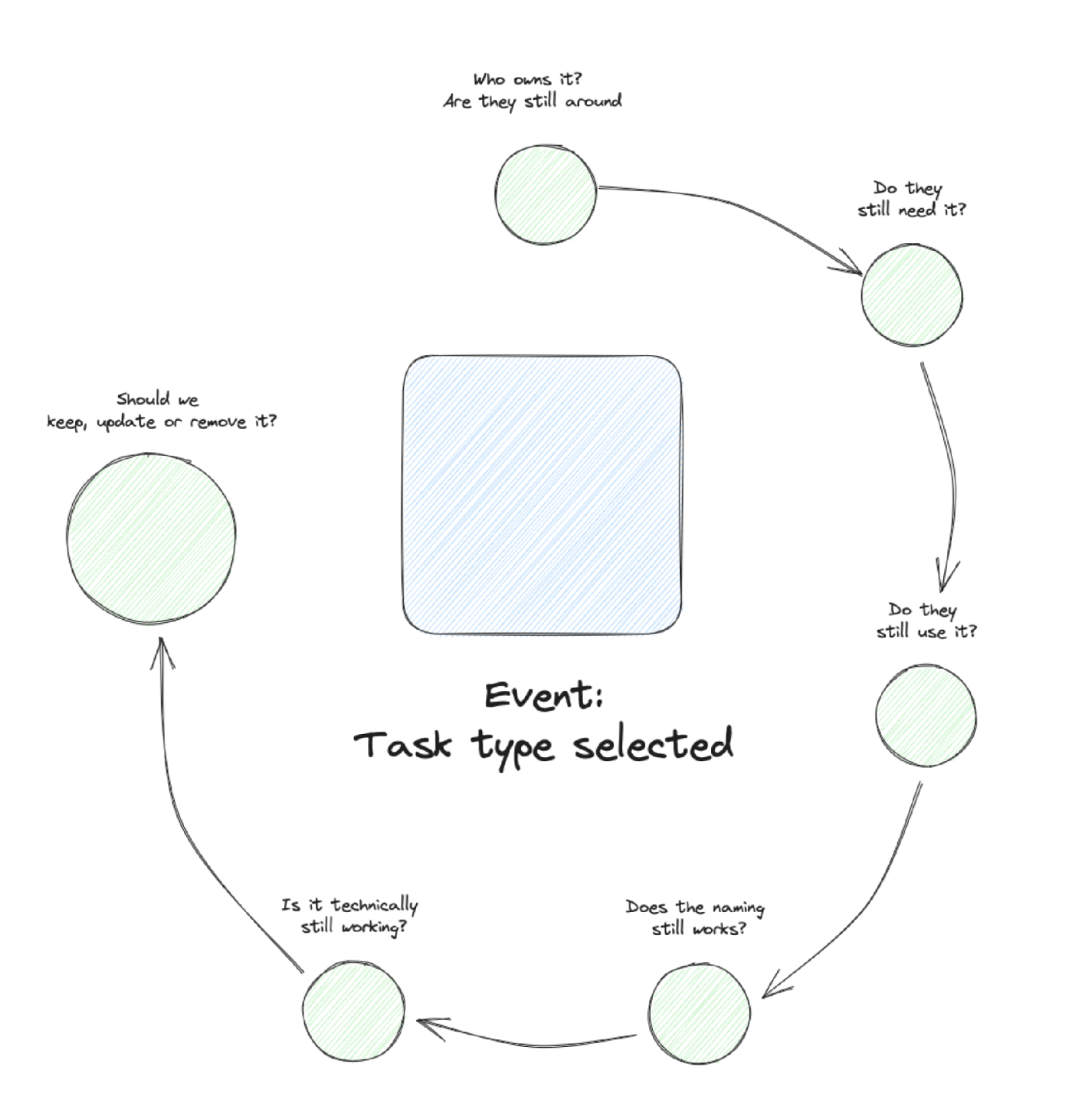
Event data needs to change over time. It needs to get extensions when you come up with a new idea for a question that needs an additional property. It needs updates when you find an event name unclear or a property having unusable values. And it needs removal when specific parts of the setup are never used at all.
Therefore you need to have different processes in place for these actions: new events, event updates, event refactoring, and event clean up.
Implementation Problems
The Tricky Frontends
Browsers and mobile apps are cool things that enable billions of people to access information, productivity, games, and much more. But they have one critical thing in common: they all run on users’ devices.
So they run in an environment we can’t control. It comes down to the operating systems and browser and user configuration and how tracking works for us. And we might even end up in a situation with no network to send our precious tracking events.
The answer to this sounds simple but has plenty of complexity back in: Move to server-side. Therefore we will have one chapter just for this.
Losing Identities
From my experience this problem is pretty common and it is a nasty one, because it is not immediately obvious.
All analytics setups (and tools) use identifiers to stitch together events, so you can later do funnel analysis or still can tell what utm-parameter led to a conversion. Analytics is also possible without these identifiers but then all events are disconnected (which is fine for simple analysis).
These identifiers can either be a cookie value (client id in GA, anonymous id in Amplitude, Mixpanel) or a user id (after someone has signed in). And they are passed on with each tracking event. So that later when the data is prepared, the tools can connect these events.
When for some reasons this identifier changes, the connecting will have some flaws. The results are usually broken journeys. And these are sometimes not easy to find. We will have a look how to find them later.
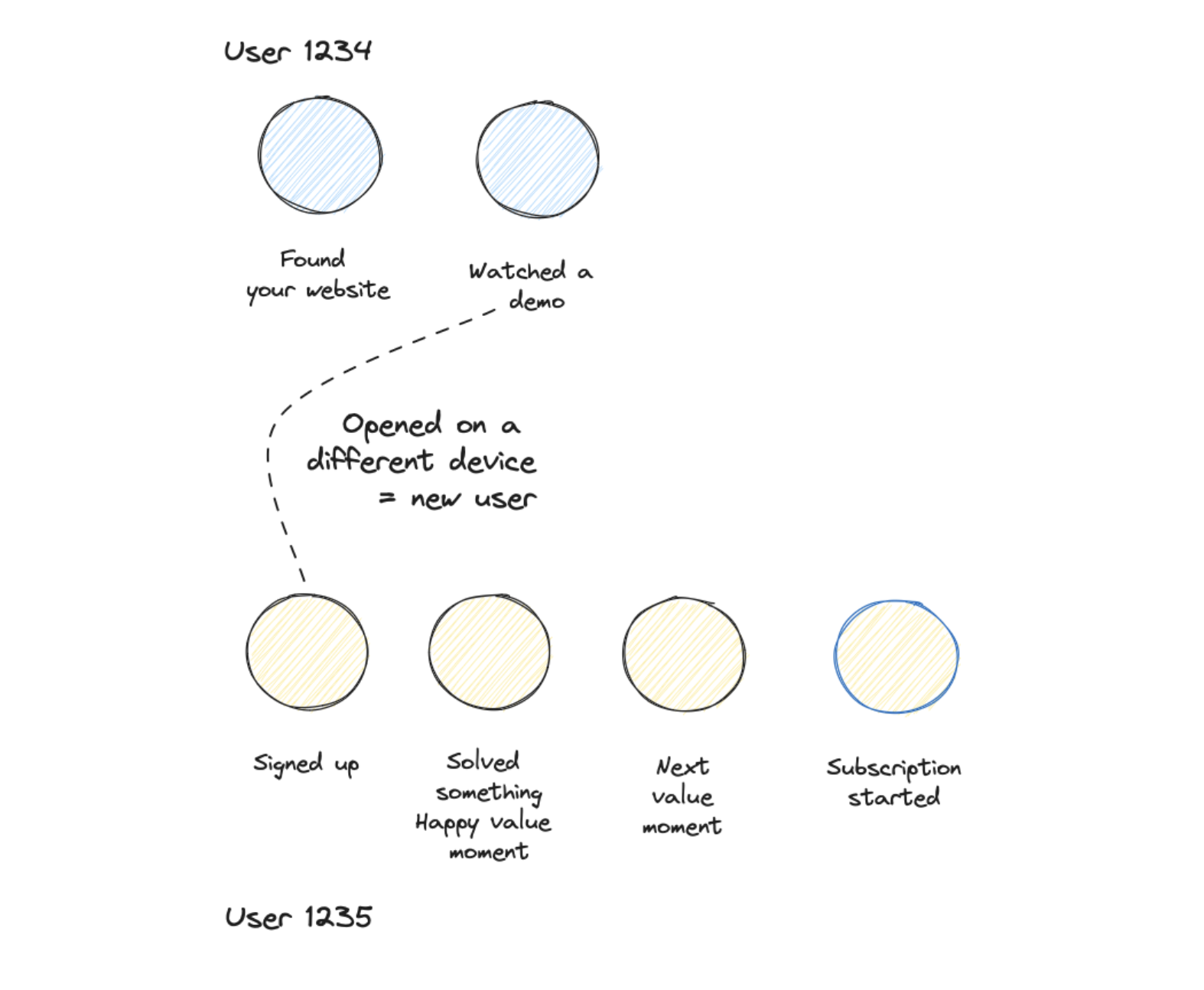
Some lost identity scenarios:
Email verification — Email verification is cool to make sure that emails work and you get an opt-in. But they introduce a risk to lose identity. This happens when users initiate a signup on a desktop and confirm the email on their phone. So when a device switch is happening. When no user id is used this always leads to different journeys.
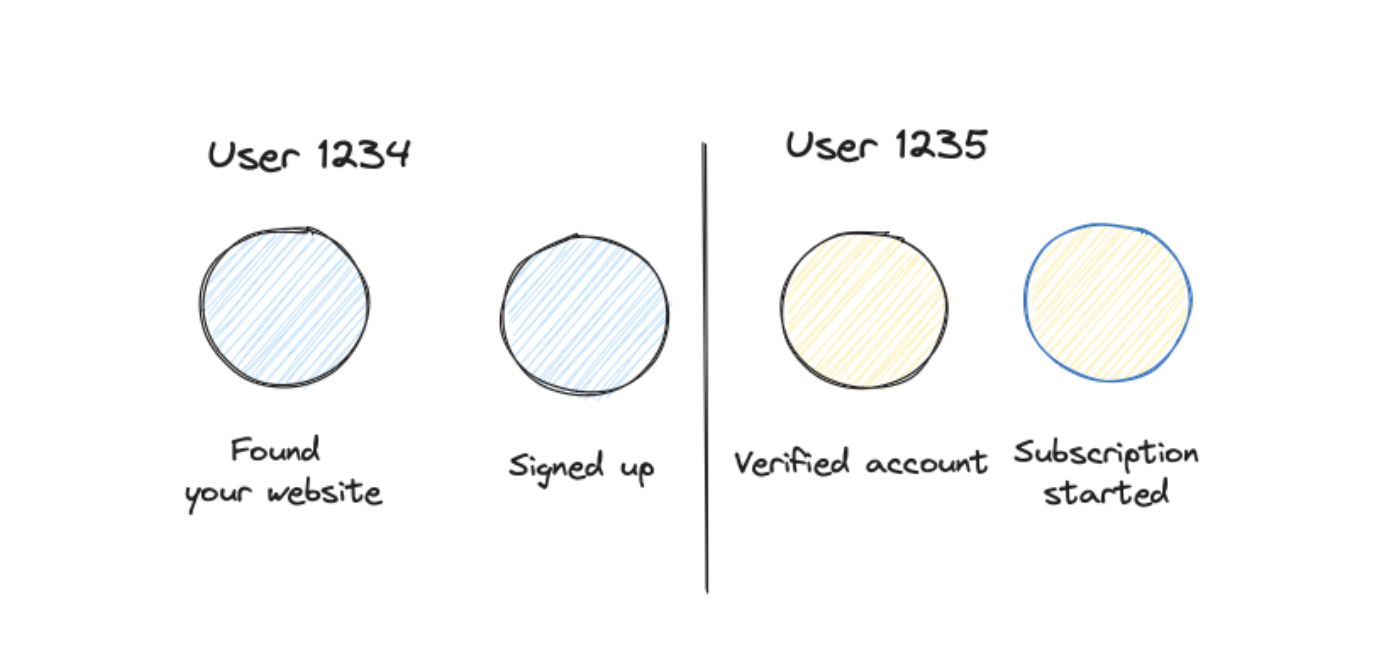
Server side events — Server side events are my favorites — highly reliable, usually with better quality, better to test. But they easily can be disconnected from frontend events. Server-side events are often sent with a user id (from a backend), but they can only be connected with frontend events, when you identify the user at least one time with the user id in the frontend as well.
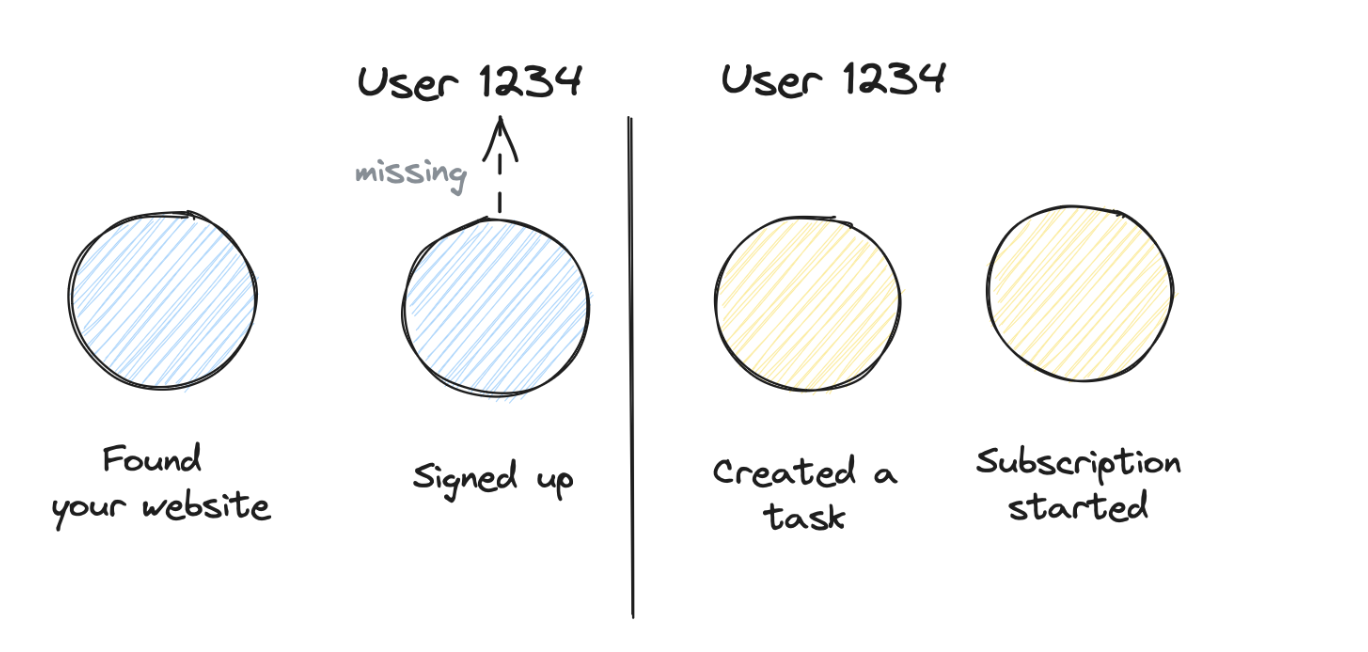
Multi platform journeys — Typical SaaS use case: the journey spans across multiple platforms: marketing website, app, CRM, customer success, subscription. It requires quite some work to make sure that you pass on identifiers across these platforms. Because ideally you want to know the initial marketing campaign, even when someone converts after weeks to a subscription.
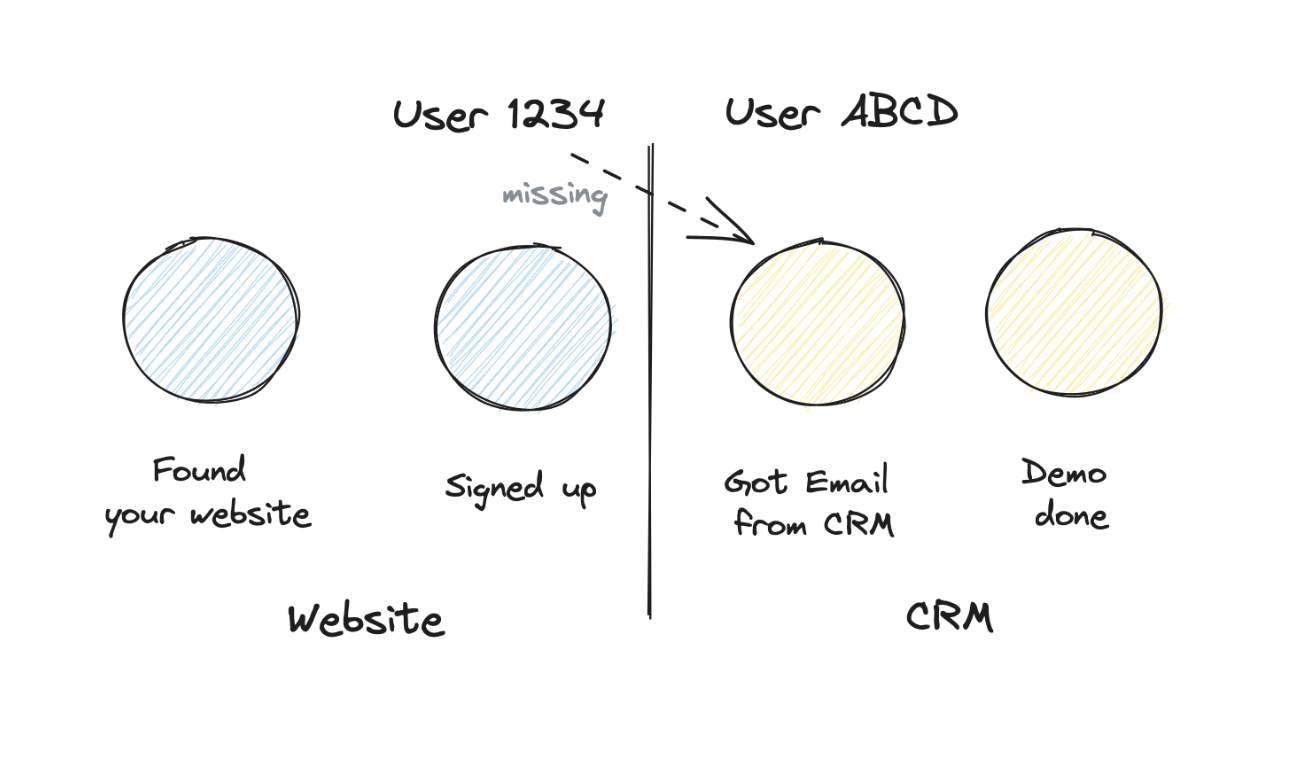
Cross domain / cross project — Kind of the grandfather of identity problems. You track users across different domains, but would like to handle it as all connected.
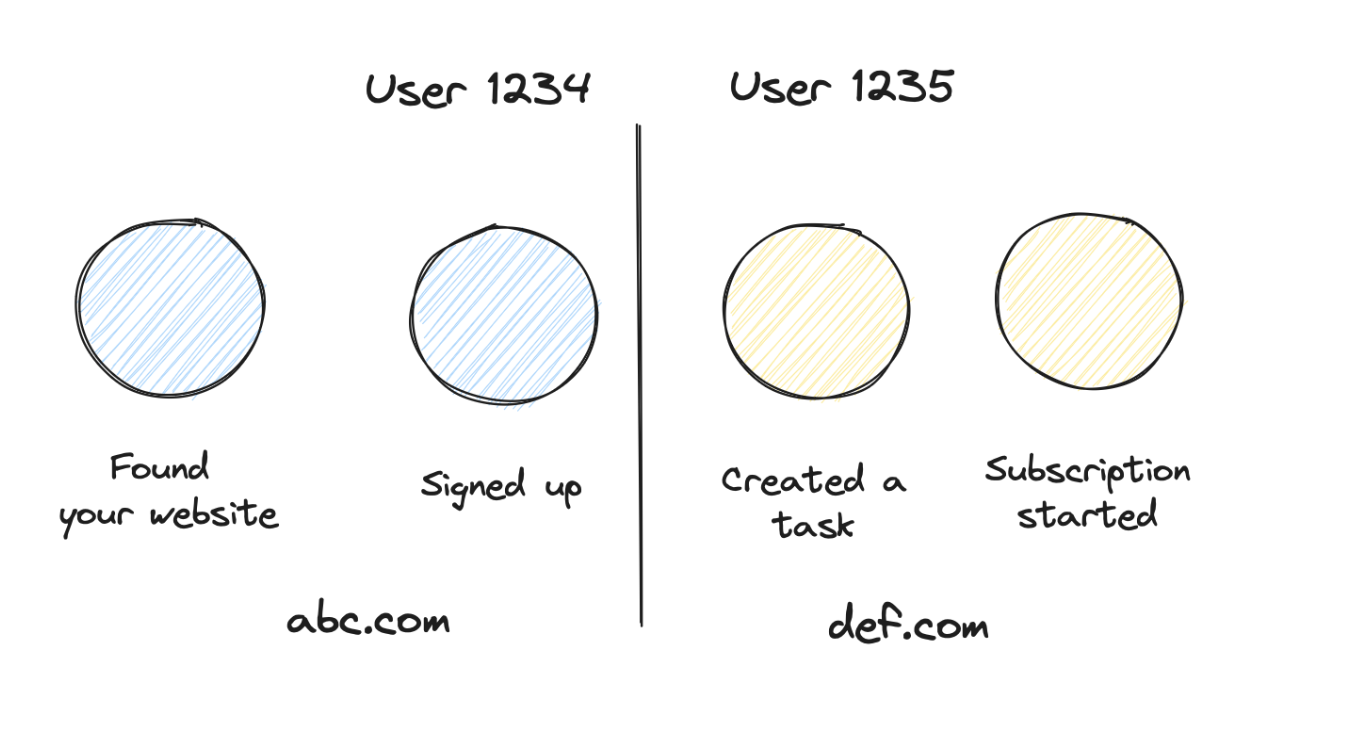
Throwing Event Data Over the Fence
This one is extremely interesting since I believe it is the foundation of more serious problems in the future and on the other a huge potential for a healthy and scalable data setup.
In most of my projects the product (or software) engineers are not involved in the process at all. They appear as a part of a ticket when some events need to be implemented. And they are the receiver of frustrated comments when the implementation does not match the initial plan.
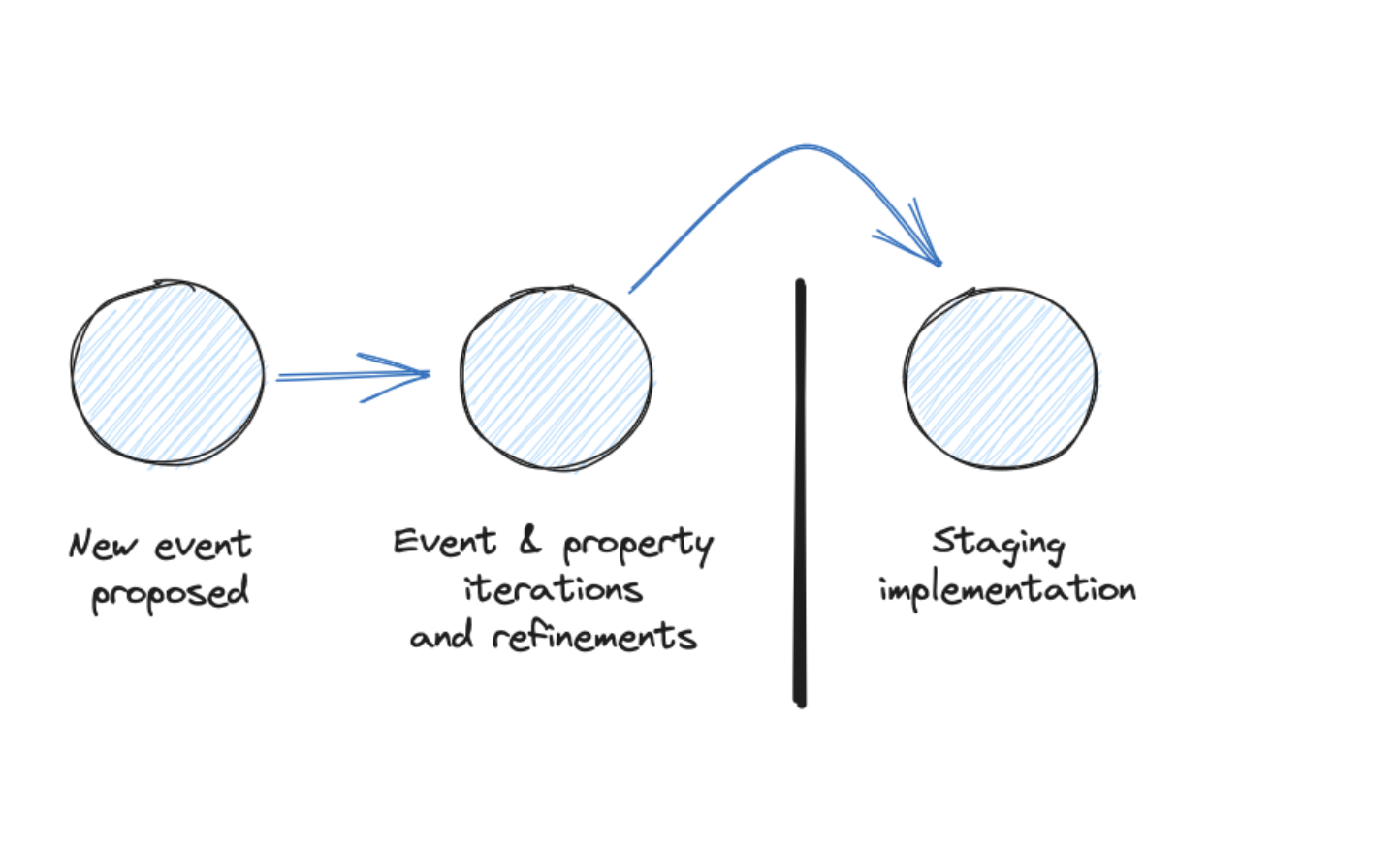
I will show later how product engineers can become a core asset of your event data strategy and why you should involve them from day one and continuously.
No Testing & Monitoring
You have a nice feature dashboard set up, and it helps your team a lot to iterate on this new but very important feature. You are sitting together and thinking about the next iteration. You pull up your dashboard, and the essential chart, which features an essential breakdown, is empty.
Someone broke the property of it. This is a simple and not-so-harmful example — but still a huge productivity killer.
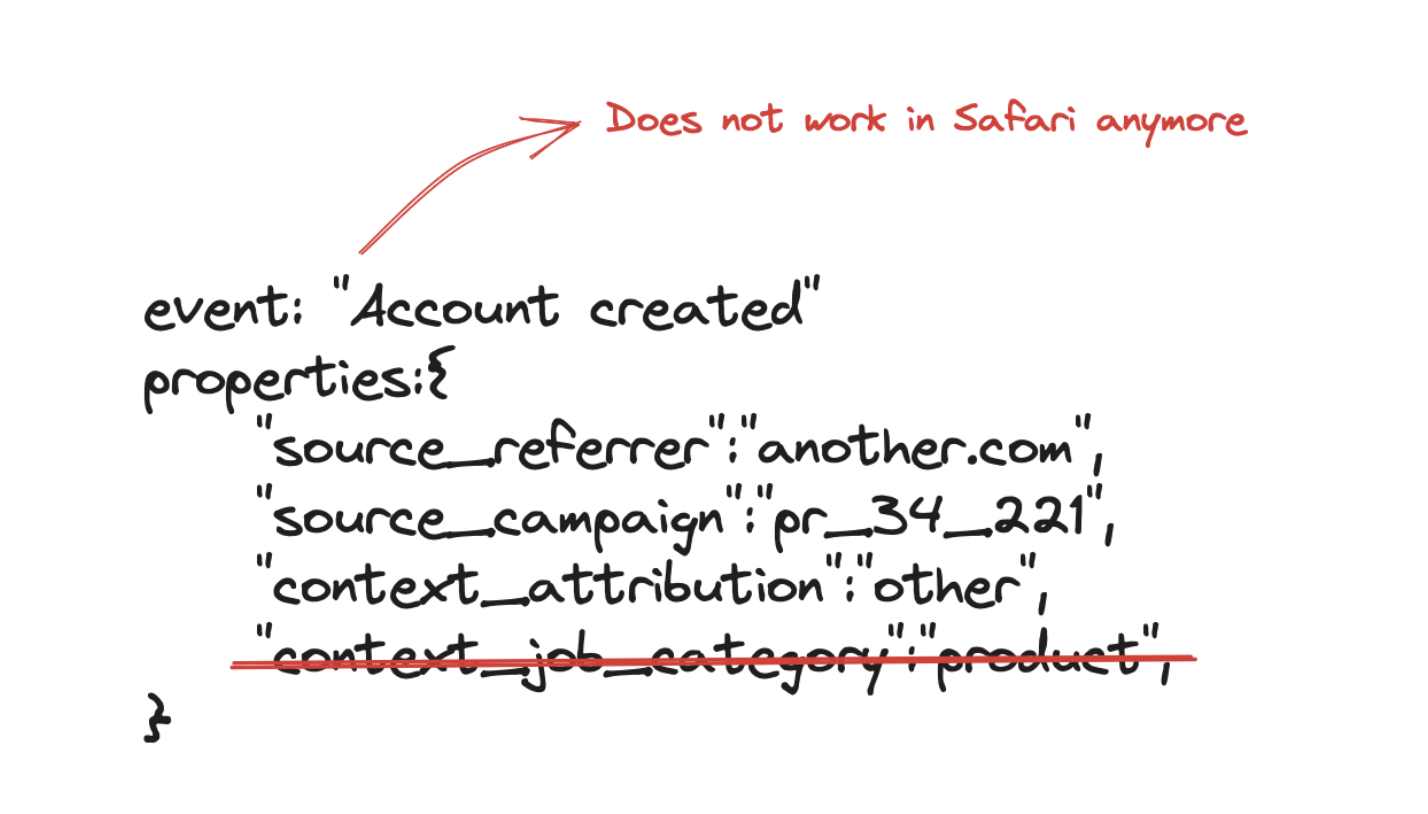
The more severe one is this: You have a core retention analysis that you use as a baseline for almost all product decisions. Your team recognizes that retention is slightly decreasing. These are just small 5-8% changes, but they are still concerning enough to start a bigger investigation.
No stone is left unturned, and it takes a full team effort for two weeks to find out that there finally was an issue with a specific browser that caused the drop. After that, you can’t basically make any decisions based on data anymore since you have a huge trust issue.
People Problems
The Value & Role of Event Data
Companies and teams are quick to claim that they are data-driven (whatever that means). People will confidently tell you how important data is in their daily life that it is hard for you to understand why it is so hard to convince them to have a proper event data setup.
One problem is the mindset that this setup is a one-off thing. I often get hired to clean up the event data mess. And often there is the unspoken expectation that this is a one-time fix, and after it, we all walk into a bright future.
So you get attention, funds, and resources for a better event data setup when things are really messed up or missing at all. But rarely for the time in between.
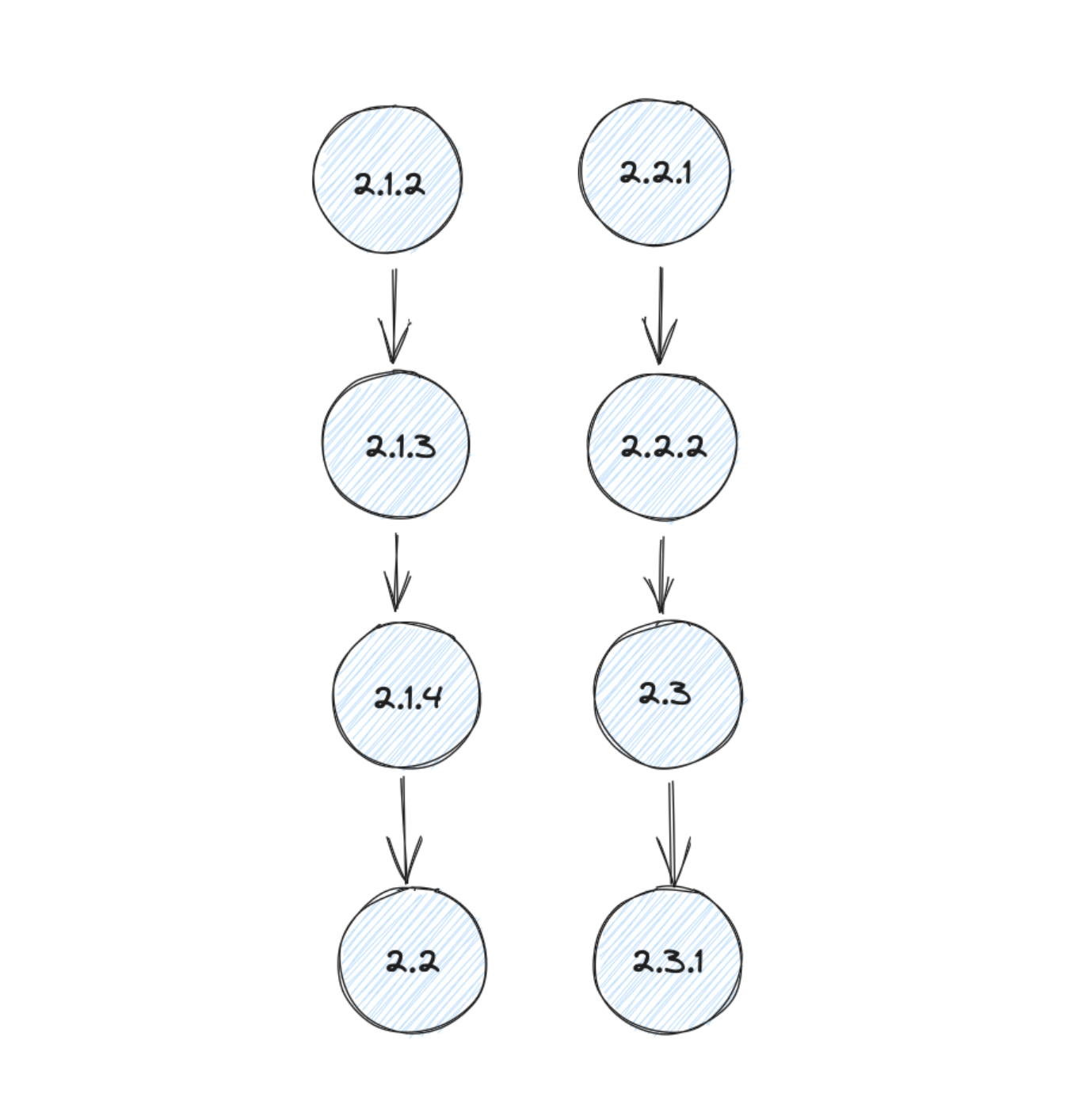
I am trying to give you ideas and words to claim for resources to scale and maintain a good event data setup.
Language Barriers
I am not speaking about different spoken languages at all. Interestingly they are often not causing so many issues in event data.
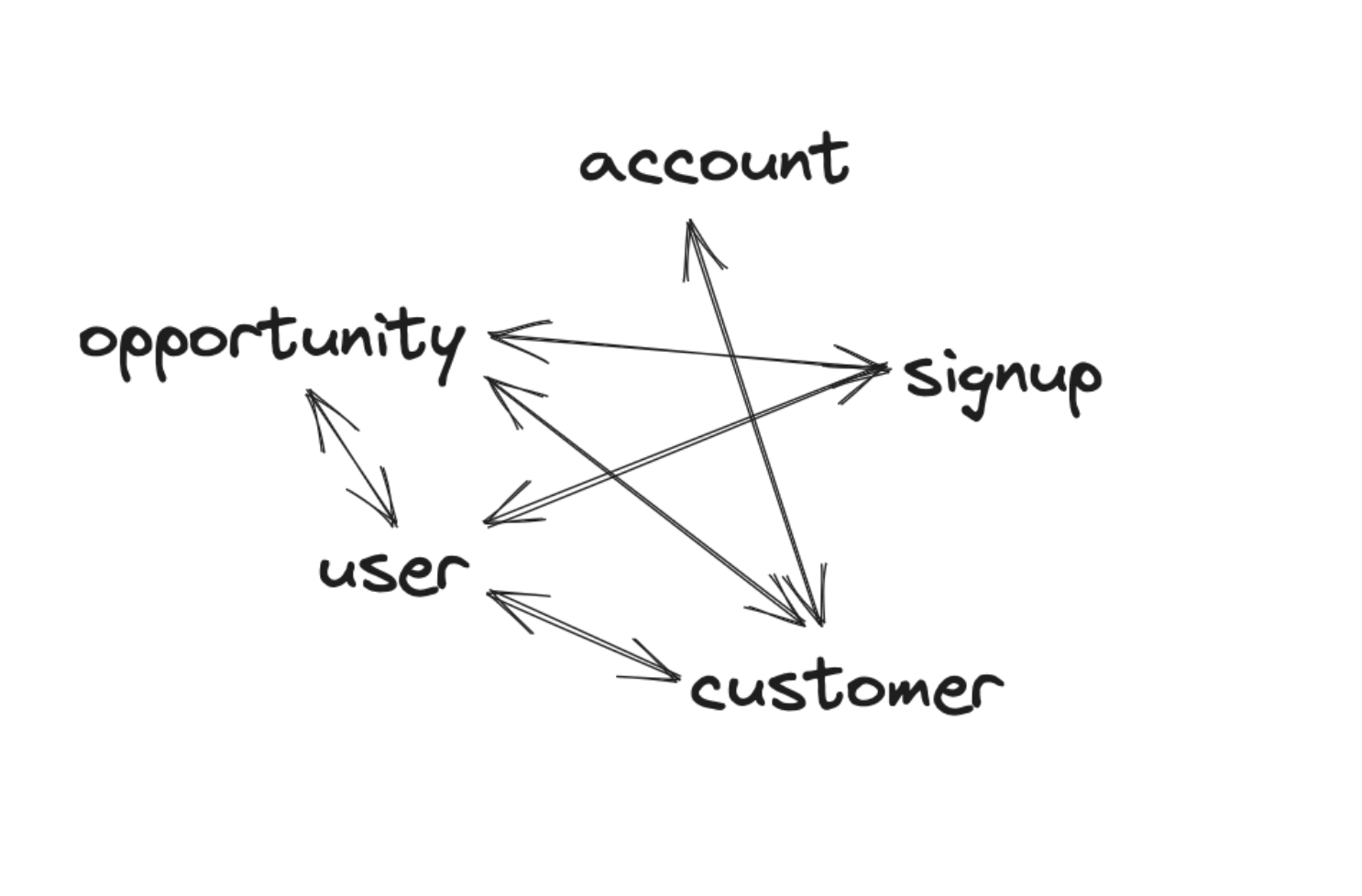
In this case, I’m talking about different teams speaking different languages. And trust me, the issue is real. Let’s take a customer. For a data team, this might be an “account”, for engineers it is a “user” because the table is still named like this. For the marketing team, it is a customer.
When there is now an event “account created” it is not naturally clear for a different team what this means.
Who Owns the Event Data
With this question, we open the first cycle of hell. Because there is no easy answer to it.
Often the best answer would be: at least one person (since event data often doesn’t have any owner).
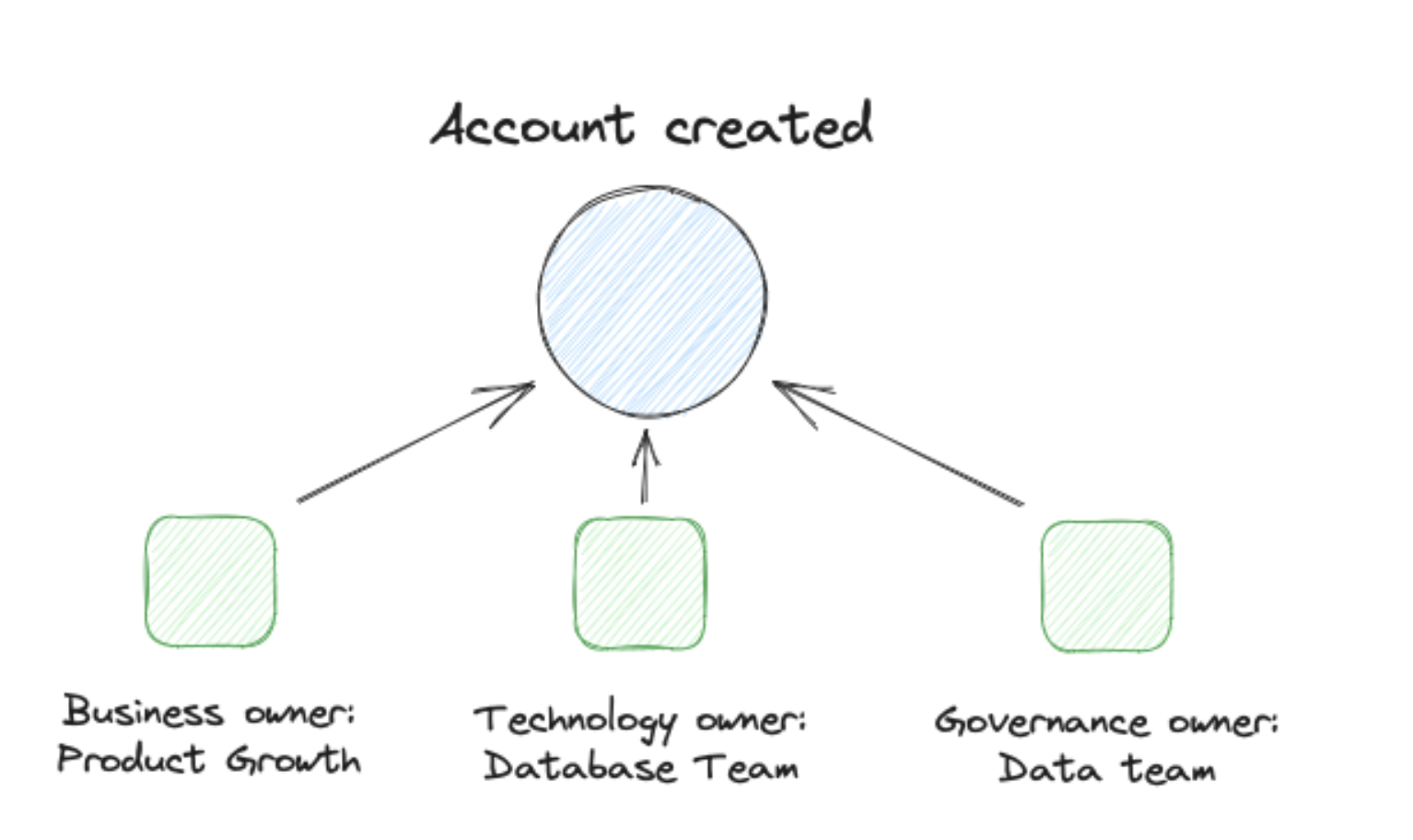
Without working ownership, the value of event data is in real danger (if not already non-existing).
Therefore figuring out how to handle ownership is a foundational part of any event data setup.
🎯 Key Takeaways
Module 1 Summary: Foundations
- Event data looks simple but isn’t — one line of code opens a Pandora’s box of complexity around naming, context, identity, and meaning
- Know the terminology — measurement (collecting a data point), tracking (adding an identifier), collection (receiving from other systems), and creation (designing data to answer business questions)
- Event data gives you speed and unbiased insights — it flows immediately after implementation and comes from real users in real contexts, not lab environments
- Four categories of problems await you:
- Design problems (no one knows what to do with the data, too many events)
- Process problems (launching without tracking, documentation debt, no evolution)
- Implementation problems (unreliable frontends, losing identities, throwing over the fence, no monitoring)
- People problems (unclear value, language barriers, no ownership)
- Not every company needs event data — pre-PMF startups, teams without analytical resources, or legacy systems too expensive to extend might be better off without it
- The goal is always the same — help your customers make progress. If event data doesn’t serve that goal, it’s not worth the effort